Website Machine
Get a real website without hiring a designer.
Website Machine starts a fast, phone-first website from your business details, ready for your photos. Customers tap Call to ring you, messages and bookings go straight into the other services on your plan, and one click publishes your site or puts an older version back.
Four things it does, in order.
From your business details to a live, connected site.
Start
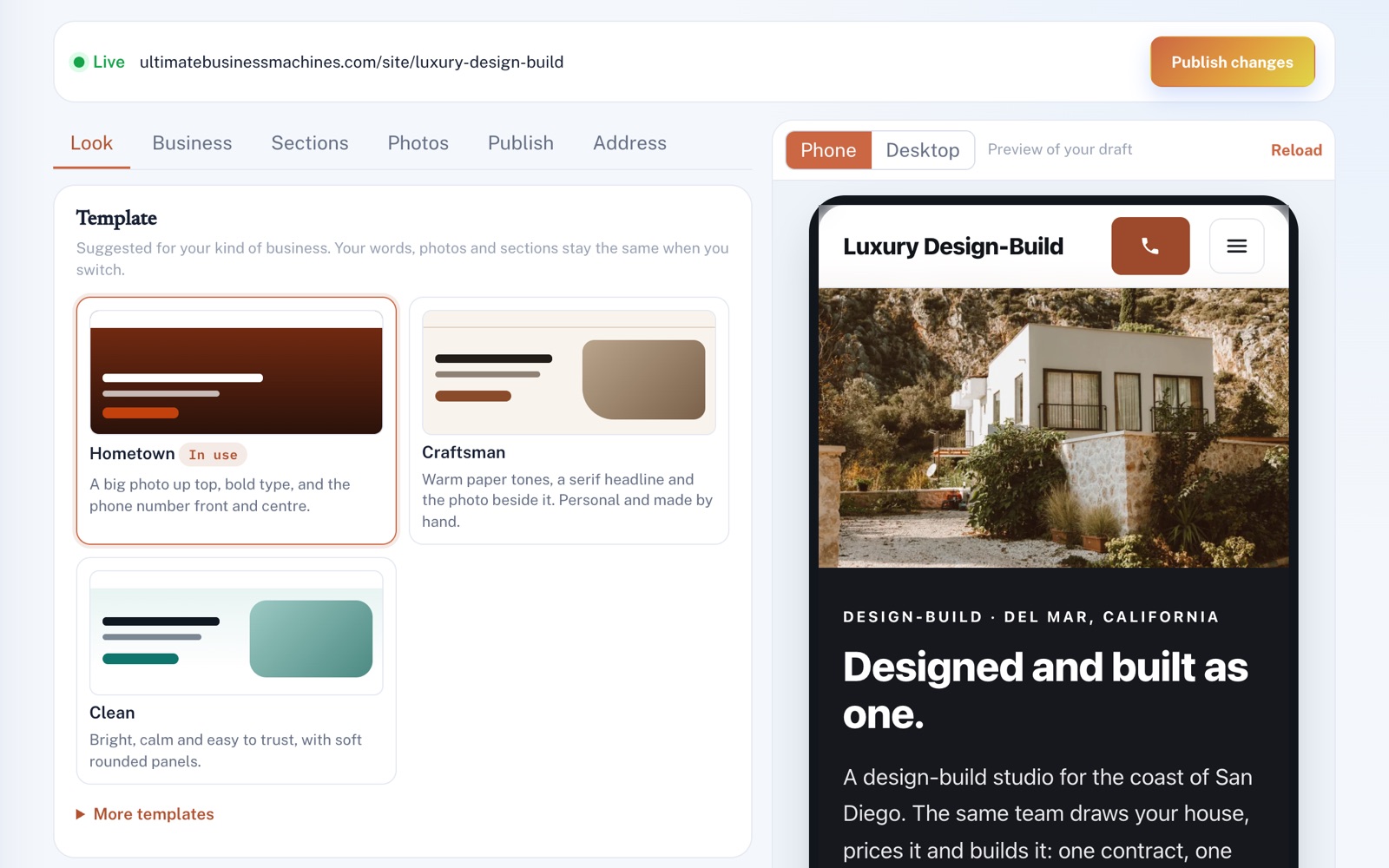
Your site starts from what you've told us: your name, what you do, where you work, your phone number and your services. Then pick a look, with three suggested for your kind of business, and your color and logo.
Shape
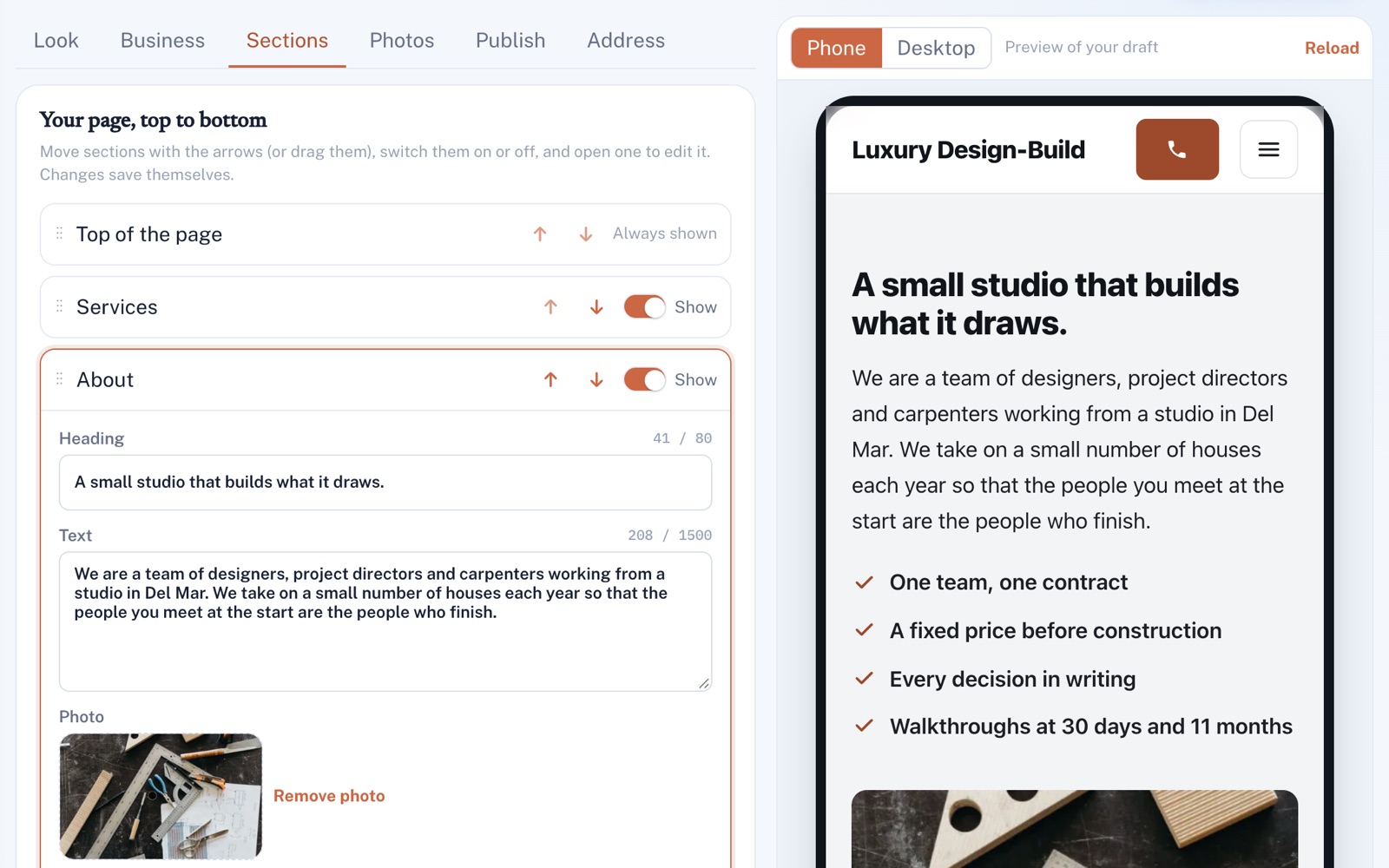
Move sections up or down, hide the ones you don't need, and edit the words and photos in each. Changes save themselves and show up in a phone or desktop preview on the same screen.
Publish
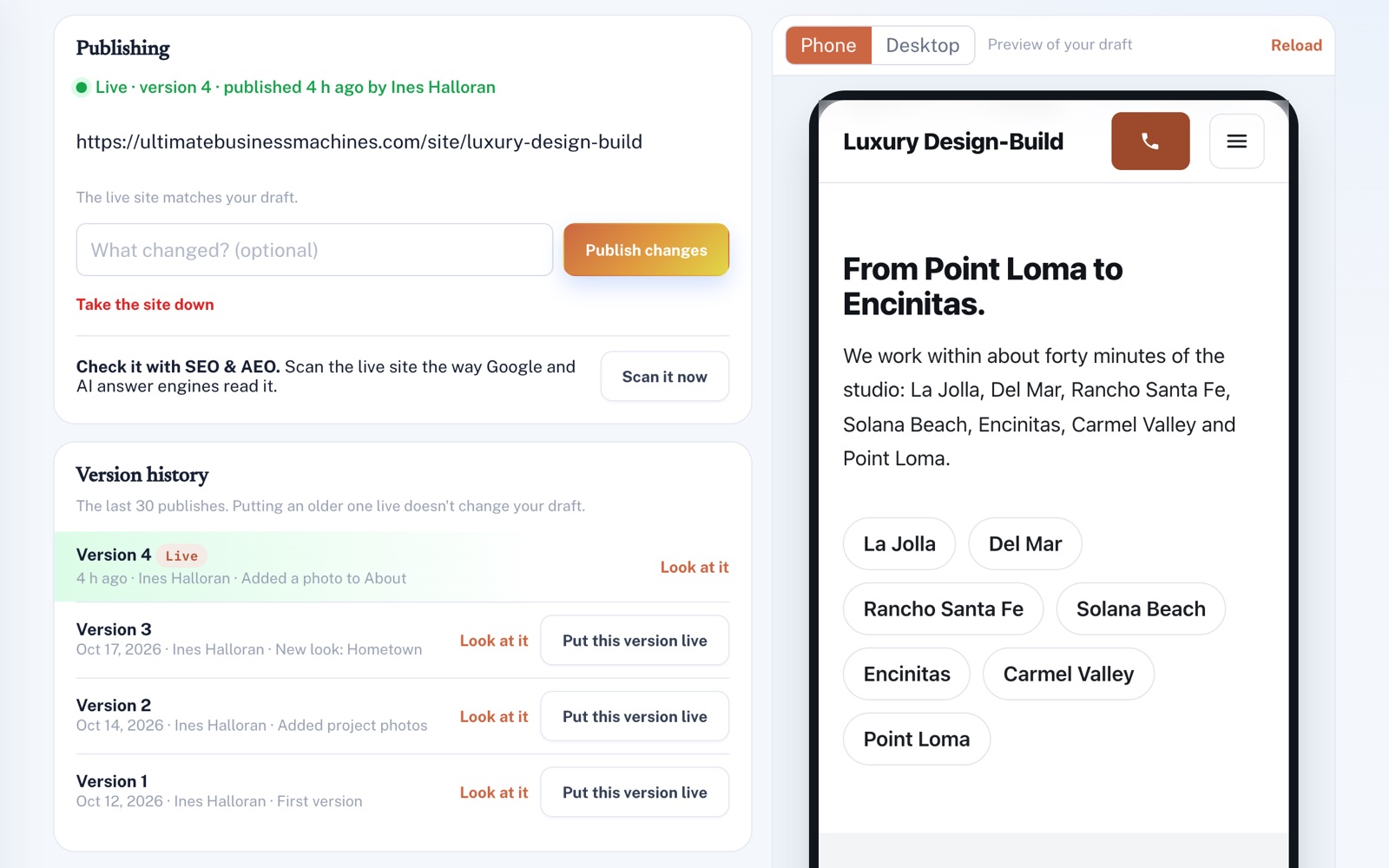
Press Publish and your site is live at an address made from your business name. Edits wait in your draft until you publish again, and an older version can go back live in one click.
Connect
With Lead Management or CRM on your plan, messages from your contact form land in your lead inbox or customer list. With Scheduling, customers pick a time right on your site.
For example
Three businesses, three questions.
The kind of thing Website Machine is built to answer.
-
The pressure washing company
When would I find time to build a website between jobs?
Your site is already started for you, in a look suggested for your kind of business. Check your details, add a few of your own photos and press Publish.
-
The fence company
When someone fills in the form on my website, where does it go?
With Lead Management, it lands in your lead inbox, and anyone who leaves an email gets an instant reply. With CRM alone, it's saved as a note on their record in your customer list.
-
The garage door company
I already own my .com. Can I still use it?
Yes. We set it up with you: you add a few records where you bought the domain, and your site shows there.
Illustrations of how Website Machine is used, not customer stories.
Edit and see it
Every change, previewed on a phone.
Edit beside a preview of your draft, built the same way as your live site. Switch between phone and desktop, or open a section and the preview jumps to it.
Safe to change
Your last 30 versions, one click back.
Publish with a short note about what changed. Look at any older version before you put it back live, and the draft you're working on stays as it was.
Screens shown with sample data.
Works well with
Better together.
Website Machine does more alongside these.
- SEO & AEO Scan your live site in one press, right where you publish, and keep one set of business details for both. Take a look
- Lead Management Messages from your site land in one inbox with your other new leads, and the clock starts on how fast you follow up. Take a look
- Scheduling Every Book button opens a booking page on your own site, so customers book without leaving it. Take a look
Coming to Website Machine
Your Google and Yelp reviews on your site, once the platform has them switched on. New words for any section, drafted for you to approve, once the platform's AI is switched on.
Open an account
Start your website today.
Create your account, tell us what you do and where, check what we've filled in, and publish when it looks right.