SEO & AEO
Know how Google and AI read your site.
Add your website and get two scores: one for Google (SEO) and one for AI answers (AEO) from tools like ChatGPT. Then see every problem in plain words with how to fix it, and get the code that search engines read, ready to paste.
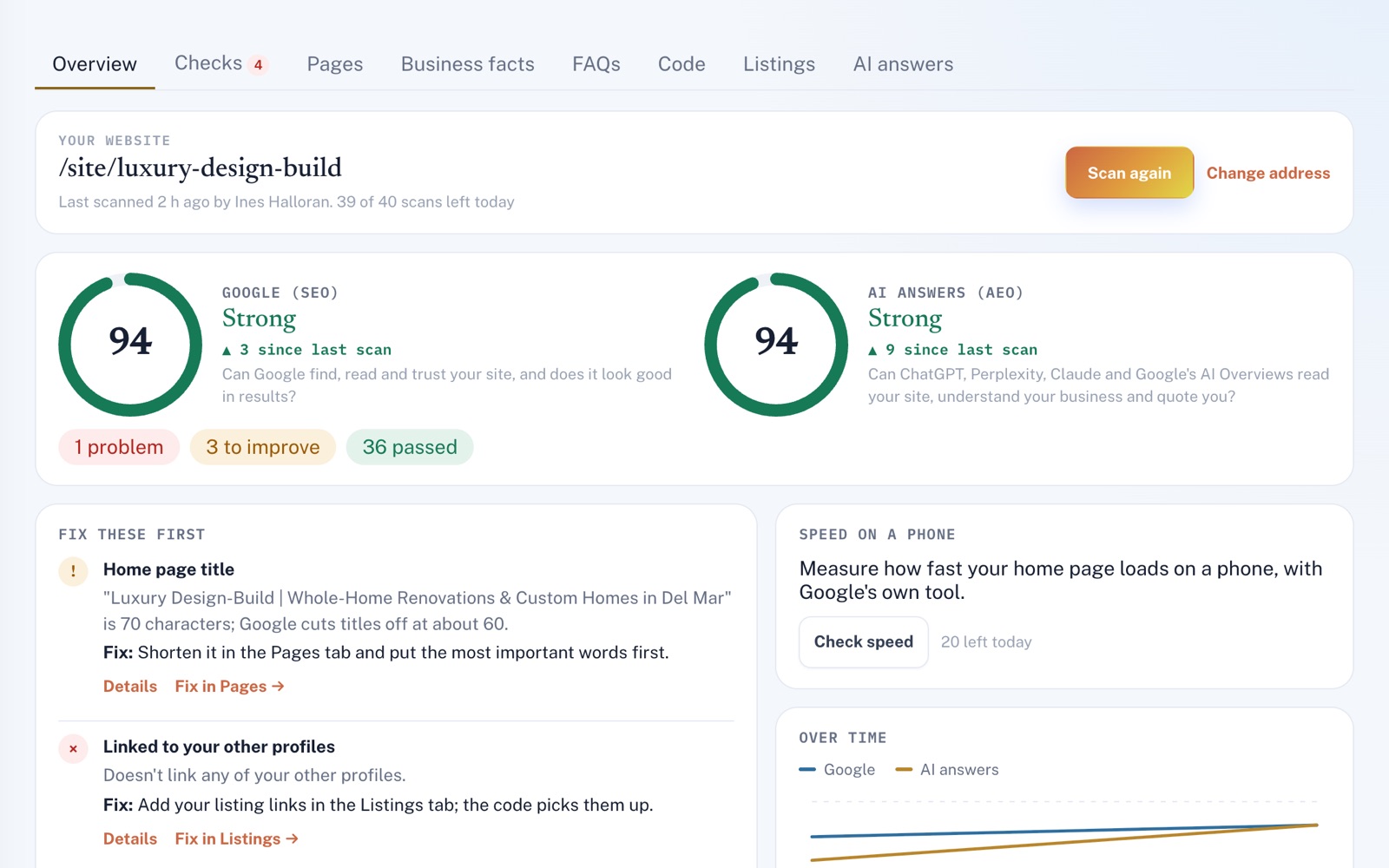
Four things it does, in order.
From the first scan to the code you paste into your site.
Scan
Add your website and scan it. In about a minute the scan reads your home page and up to 11 more pages, plus the files Google and AI tools look for, like your sitemap.
Score
Both scores come from dozens of checks. The AI one asks if ChatGPT and Google's AI Overviews can read your site and quote you. See what got better or worse since the last scan, and test your home page's speed on a phone with Google's PageSpeed.
Fix
The problems holding your scores back the most come first, so you know where to start. Each one says what's wrong and how to fix it.
Paste
Fill in your business facts and FAQs once. SEO & AEO turns them into the code Google and AI tools read, plus a robots.txt that lets AI tools find you. You get steps for WordPress, Wix, Squarespace, Shopify and other builders.
For example
Three businesses, three questions.
The kind of thing SEO & AEO is built to answer.
-
The locksmith
Does my website show the right phone number?
The scan looks for the number from your business facts on your pages and in the code behind them, and tells you when it's missing or another number shows instead. You also get one name, address and phone to copy word for word everywhere.
-
The moving company
Why is my website so slow on my phone?
The speed check runs Google's own phone speed test on your home page. It shows how long until your main content appears, how much the page shifts while it loads and the fixes that would save the most time.
-
The auto repair shop
Can ChatGPT and other AI tools even read our site?
The AI-answers score checks whether your robots.txt file lets them in, and whether the words on your home page are there before any scripts run. Most AI crawlers don't run scripts.
Illustrations of how SEO & AEO is used, not customer stories.
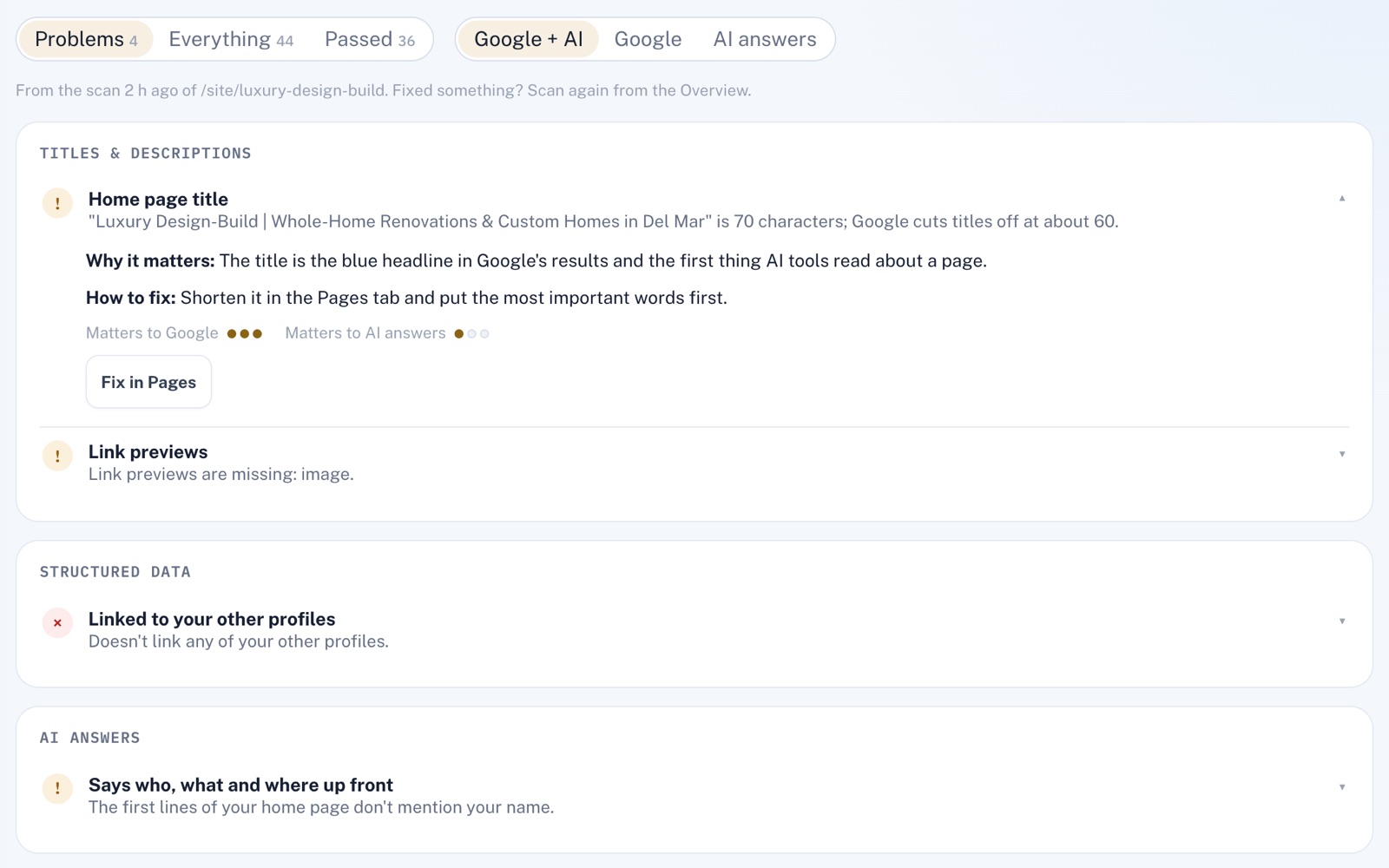
Every check, explained
What we found, and what to do.
Open a check to see why it matters, how to fix it and how much it counts toward each score. Filter to Google or AI answers, and when SEO & AEO has a tab for the fix, one press takes you there.
Page by page
Your Google result, before you change it.
Every page from the scan, with its title and description laid out like a Google result. Write better ones and the preview cuts them off about where Google would. Paste your version into your site, and the next scan checks it's really there.
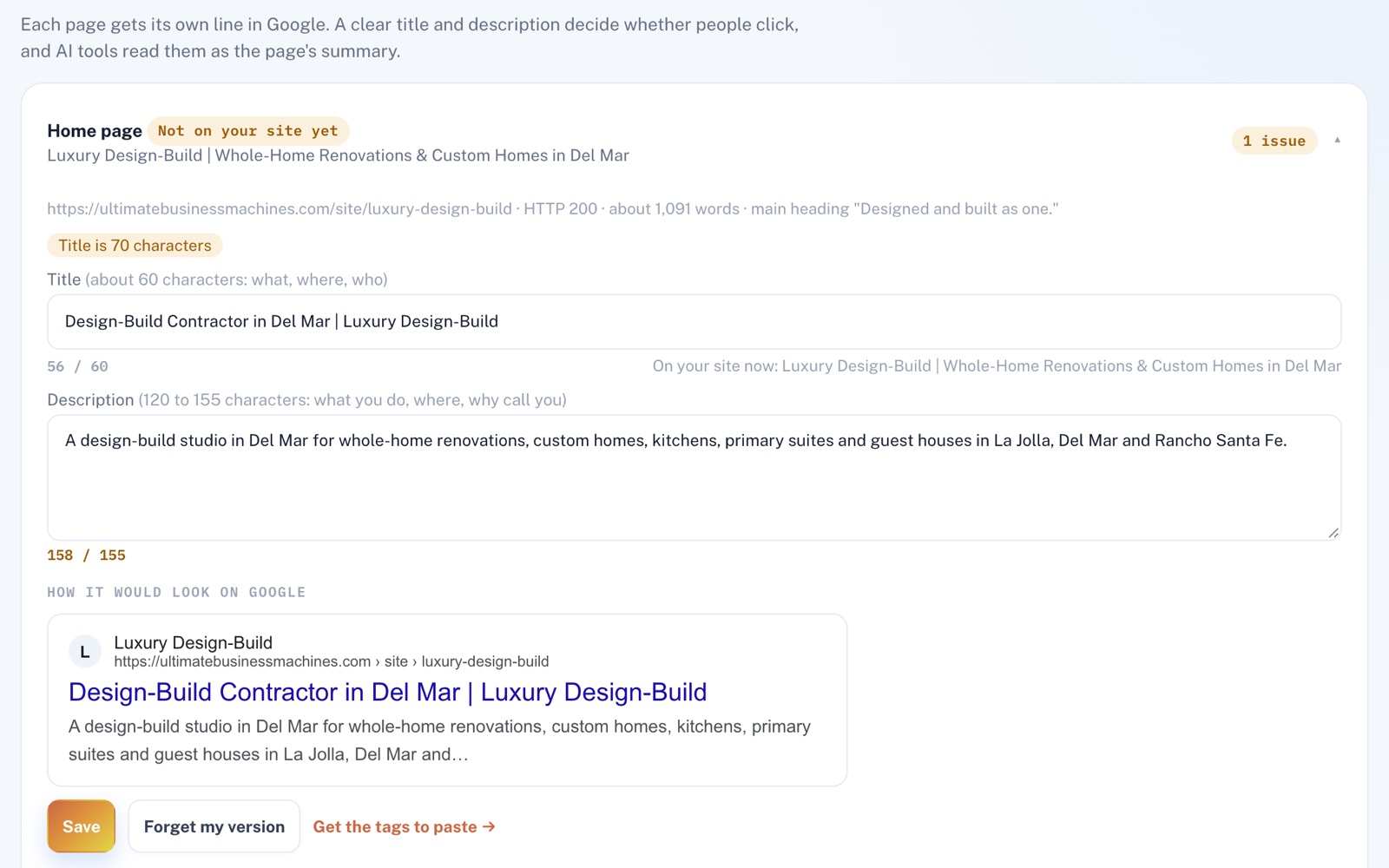
Screens shown with sample data.
Works well with
Better together.
SEO & AEO does more alongside these.
- Website Machine Your site is built from the same business facts, so you change a phone number in one place. Once it's live, one press scans it. Take a look
- Review Automation Turn review requests on, and finished jobs line up a thank-you, a review request and a reminder, each emailed in one press once it's due, with the same review link for everyone. Take a look
- AI Content Assistant Write your Google Business Profile posts in one place, with Google's title and text limits counted as you type, ready to copy into Google. Take a look
Coming to SEO & AEO
See what an AI answer actually says when customers ask for a business like yours, and whether it names you, cites your website and gives the right phone number, once the platform's Claude AI is switched on.
Open an account
Run your first scan today.
Create your account, add your website, and in about a minute you'll see both scores and what to fix first.