Lead Management
Answer new leads while they're still looking.
Get a form for your website or a link for your ads, and every inquiry lands in one inbox. Anyone who leaves an email address gets your reply right away, and a clock shows how fast you answer.
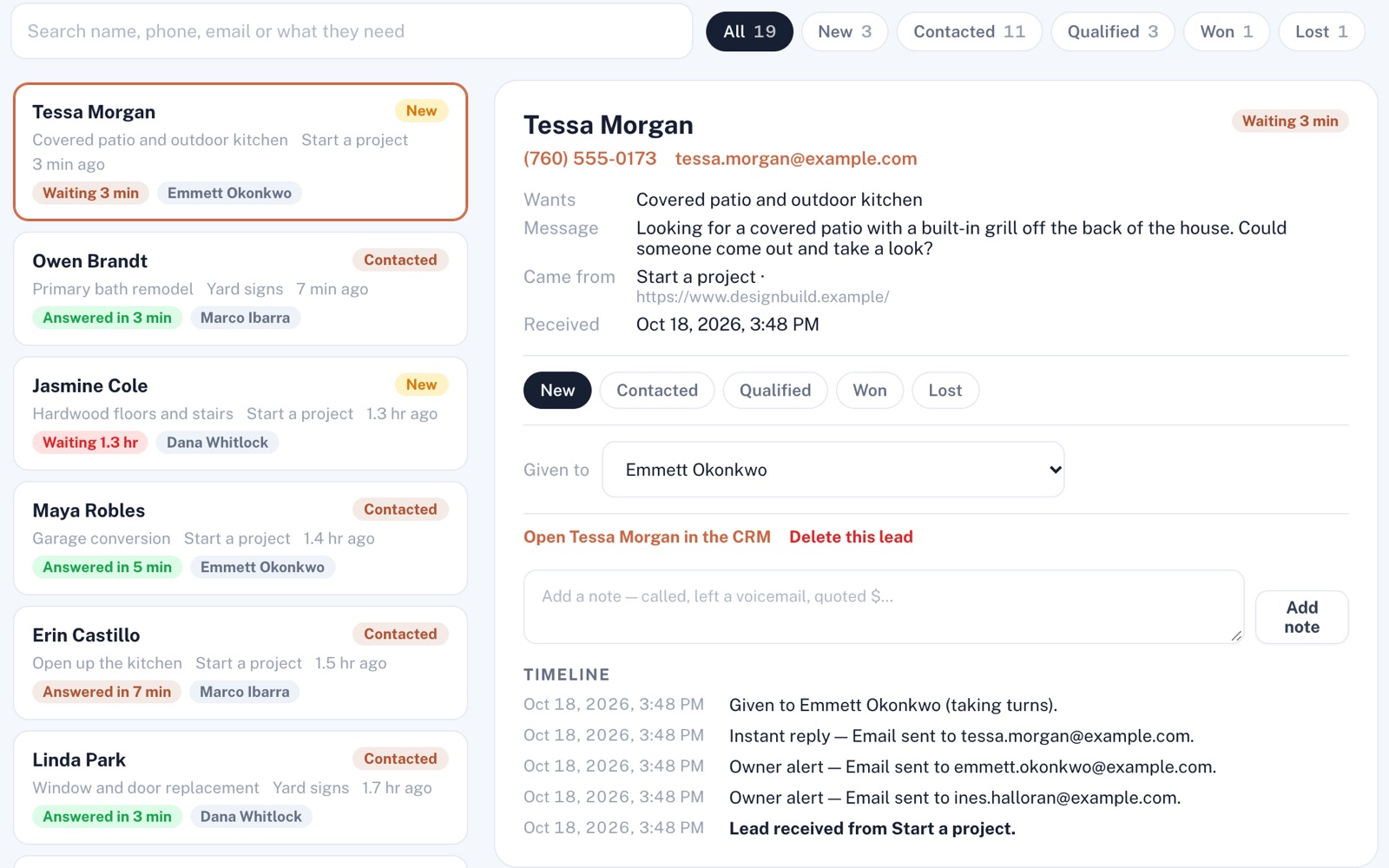
Four things it does, in order.
From the second someone hits send to the job you win.
Catch
Add a form for your website and one for each ad, to paste into your site or share as a link. Inquiries reach your lead inbox as soon as they're sent, and each person goes on your customer list.
Reply
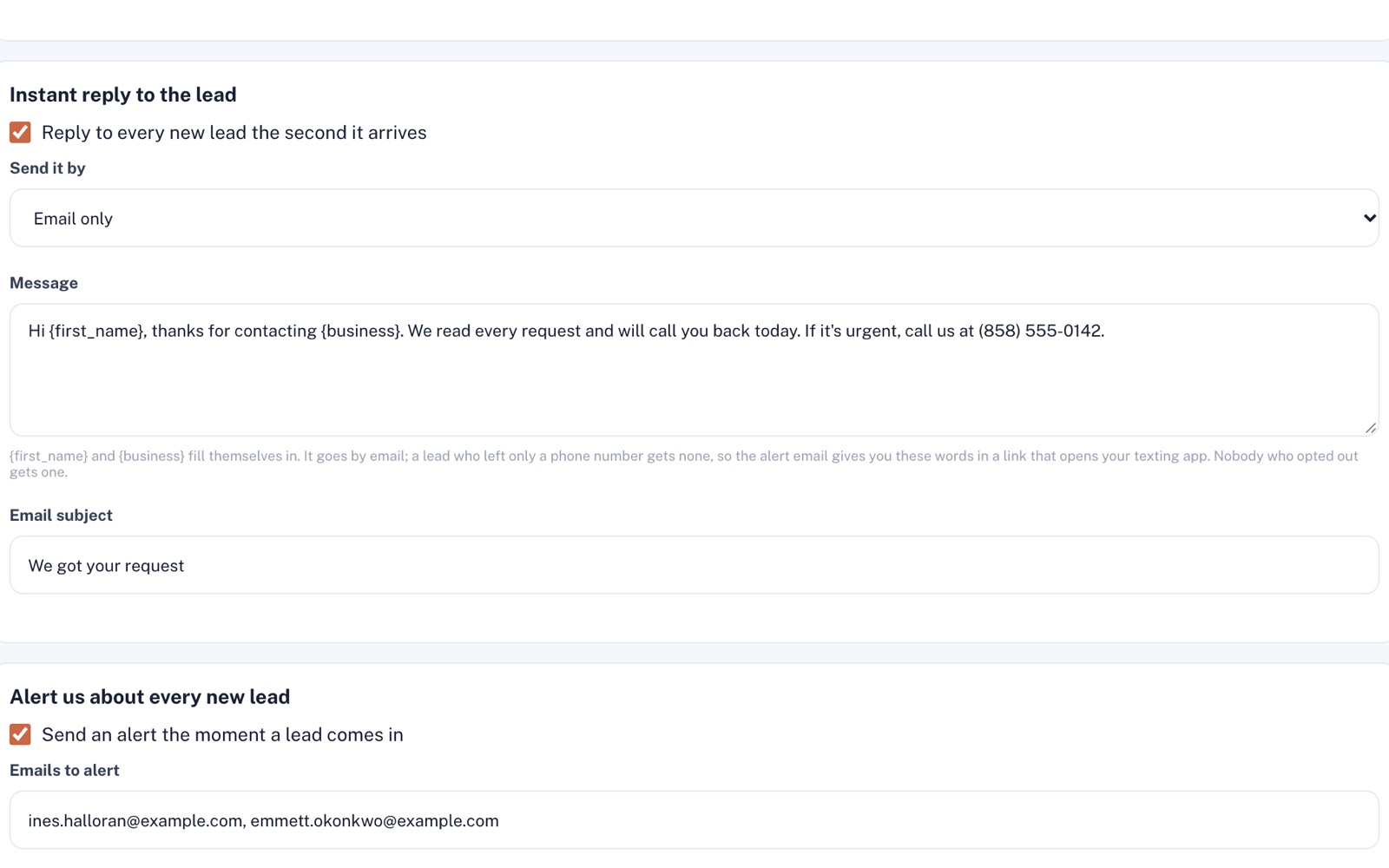
Your instant reply goes to anyone who left an email address, unless they've opted out. The people you pick get an email alert. If the lead left a number, one tap in that email opens your reply as a text on your phone.
Follow up
Give each lead to a teammate, add notes, and move it from New to Won or Lost. Turn on follow-up emails and they're lined up for you, sent when you press Send what's due now, until the lead books through Scheduling or you move it on.
Keep score
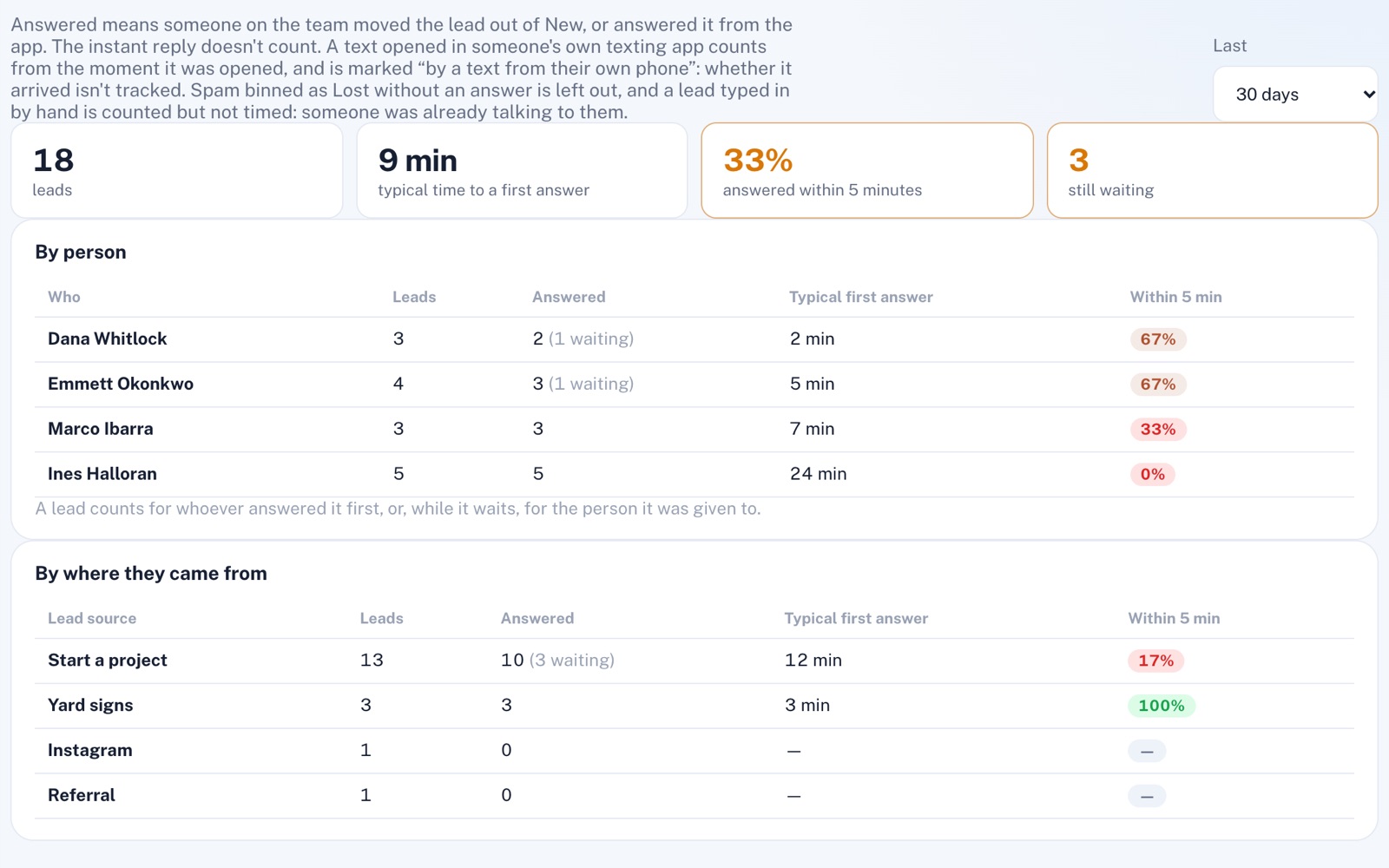
Leads still waiting show how long they've waited, and answered ones how fast. The scoreboard gives your typical time to a first answer and the share answered within five minutes, by person and by where leads came from.
For example
Three businesses, three questions.
The kind of thing Lead Management is built to answer.
-
The plumber
Who wrote in while I was under a sink?
Open the inbox: every inquiry, newest first, with a clock on the ones still waiting. People who left an email address already have your reply.
-
The med spa
Which ad brings in the most inquiries?
Give each ad its own form link. The scoreboard counts the leads each one brought in, leaving out any you mark Lost before answering, and shows how fast your team answered them.
-
The landscaping company
Is anyone on my team letting leads sit?
Give each lead to someone on your team. Each person's scoreboard row shows how many are still waiting on them, their typical time to a first answer and their share answered within five minutes.
Illustrations of how Lead Management is used, not customer stories.
The speed clock
See how fast you really answer.
The clock stops when someone on your team marks the lead Contacted, Qualified or Won. The instant reply doesn't stop it. Look back 7, 30 or 90 days, by person and by where each lead came from.
Set it up once
Your reply, in your own words.
Write your instant email reply once, and each lead's first name and your business name fill themselves in. Then pick up to five email addresses to hear about every new lead the moment it arrives.
Screens shown with sample data.
Works well with
Better together.
Lead Management does more alongside these.
- CRM Every lead is already in your customer list, with their history on one page. Take a look
- Website Machine The contact form on a site you publish with it sends inquiries straight into this inbox, instant reply included. Take a look
- Scheduling Put your booking link in your follow-ups, and they stop as soon as the lead books. Take a look
Coming to Lead Management
Replies to waiting leads drafted for you to approve, once the platform's AI is switched on.
Open an account
Catch your next lead today.
Create your account and set up a form for your website or an ad. If your next lead leaves an email address, they hear back from you at once.