Sales & Lead Machine
Follow up on every deal, on time.
Put every business you want to win on one board, with what each deal is worth and what's next. Every follow-up gets a due date, and you write, approve and send each one from your own email. A text goes only to a business that agreed to get texts from you.
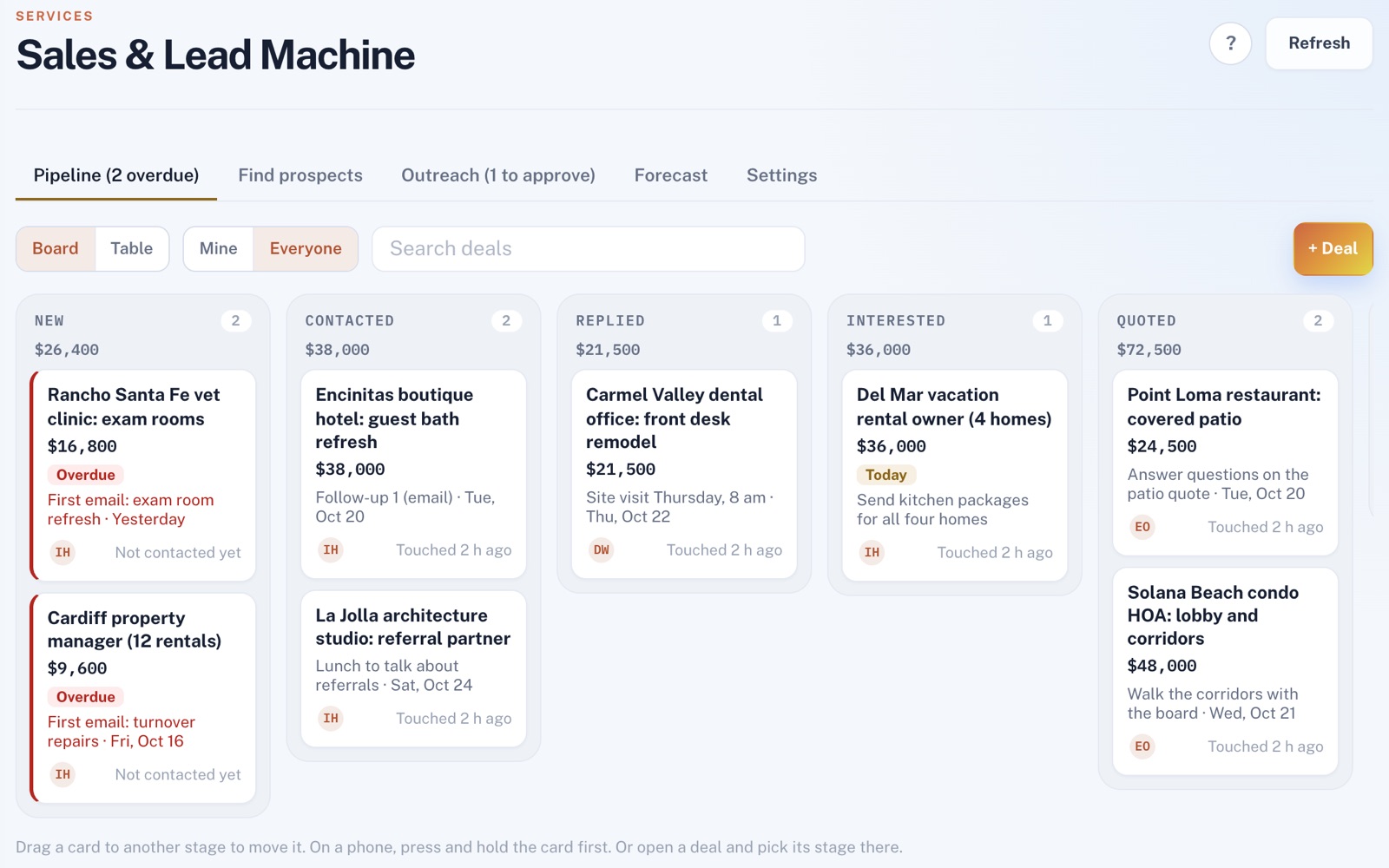
Four things it does, in order.
From the first deal you add to the customer you win.
Add
Type in the businesses you're going after, with who to talk to and how to reach them. Save their web address, and one press checks whether their site loads over https or is a free site-builder page.
Reach
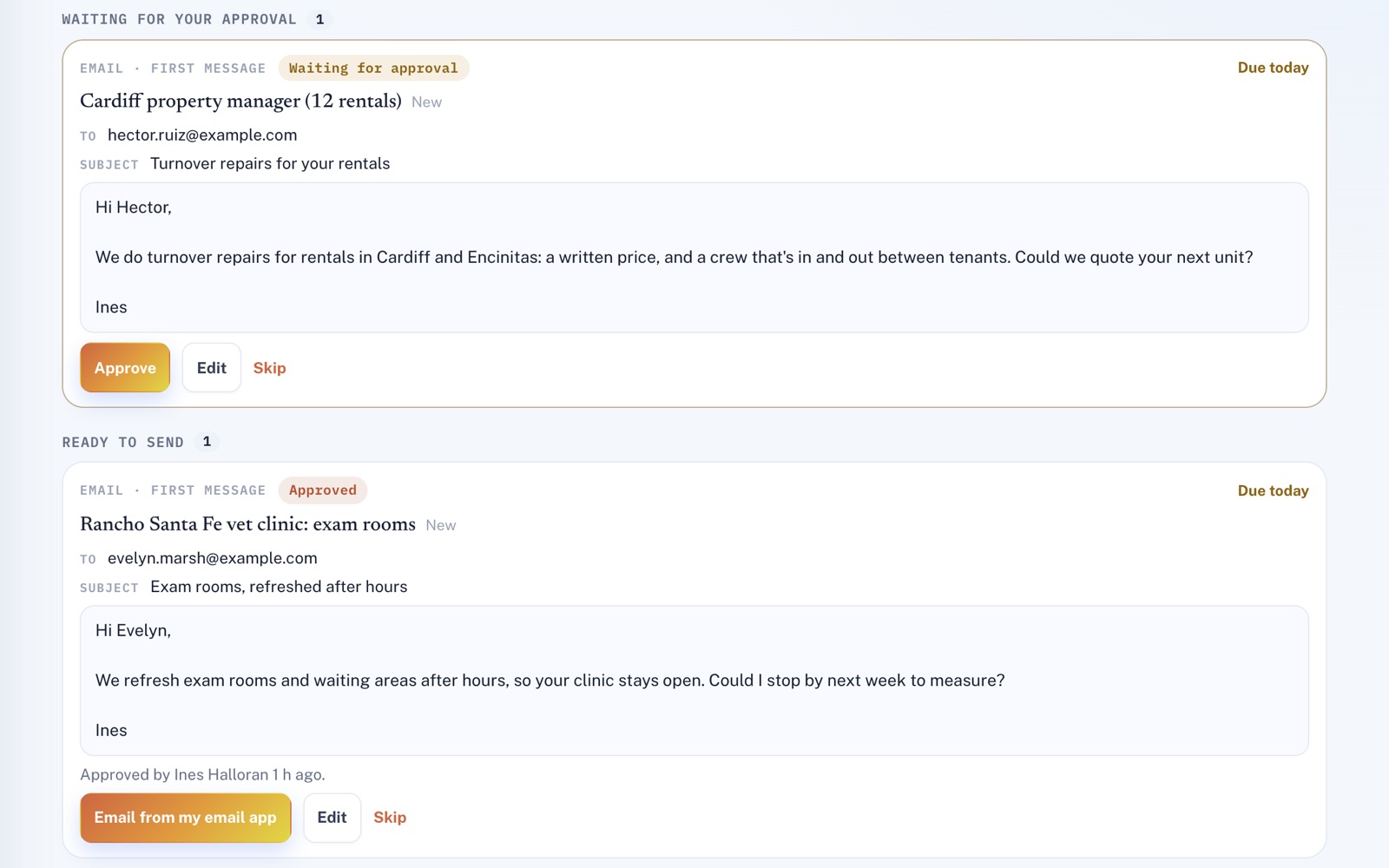
Write your first email and approve it. Then open it in your own email app, already written, and press send. A business that tells you it wants texts can get them from your own phone, once you tick that on its deal.
Follow up
Follow-ups are planned for you to write, by default two days after your first message and four days after that. The board flags every deal whose next step is overdue, and you drag deals from stage to stage.
Win
Mark a deal won and the business joins your customer list, matched by phone or email to anyone already on it. If you also have the Customer Portal, a quote for the deal's value waits there, unsent.
For example
Three businesses, three questions.
The kind of thing Sales & Lead Machine is built to answer.
-
The commercial cleaning company
Which office bids should I chase this week?
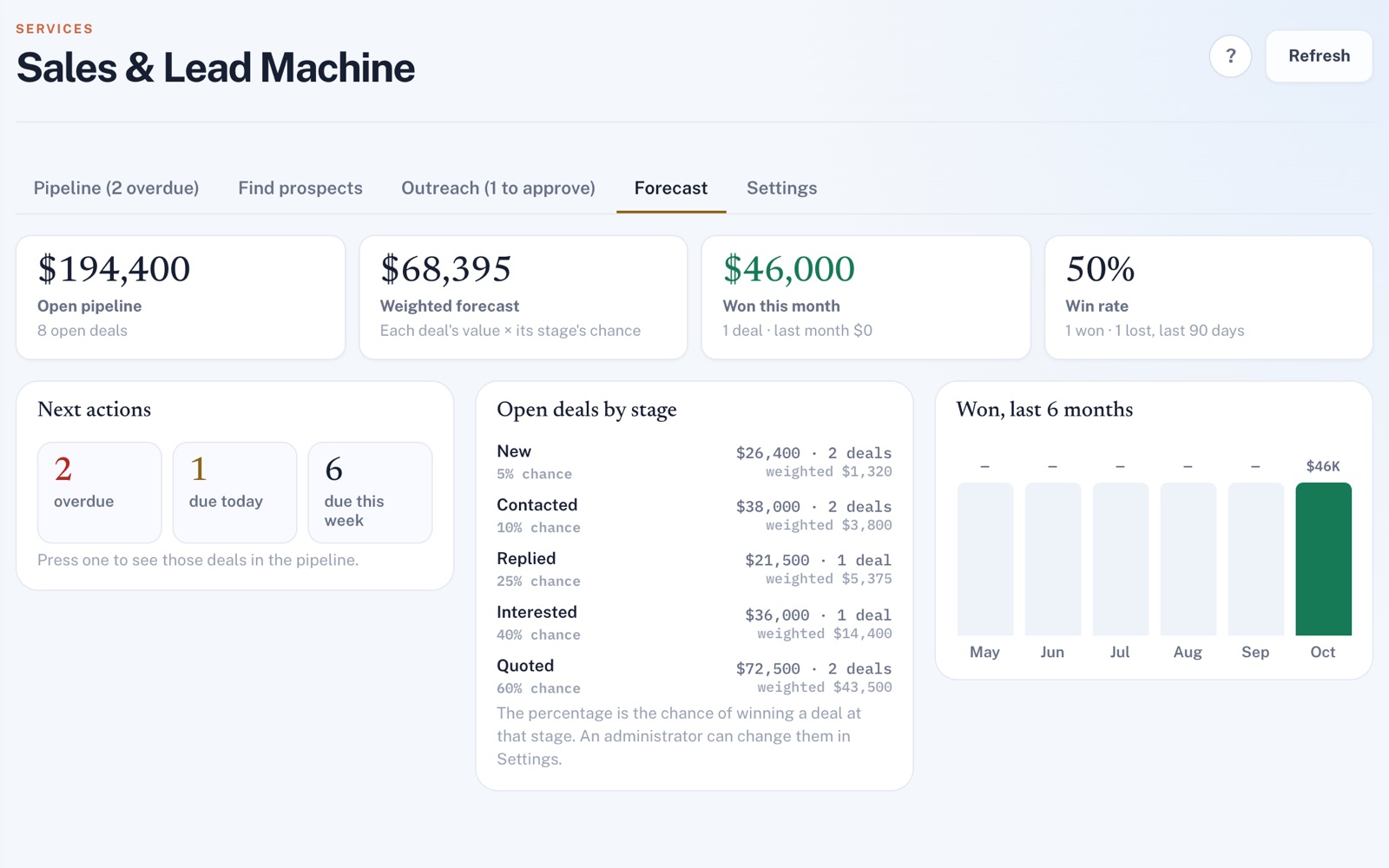
The Forecast tab counts the bids whose next step is overdue, due today or due this week. Press a count and the pipeline shows just those bids.
-
The flooring company
How do I keep after property managers without forgetting one?
After your first message to each one, the next follow-up is planned with a due date. The Outreach tab lists what's due, what's coming up and what's waiting for your OK.
-
The web design studio
Which shops on my list need a new website?
Add each shop with its web address, then check its site in one press. You'll see whether it loads over https, is a free site-builder page or is only a social media page.
Illustrations of how Sales & Lead Machine is used, not customer stories.
Your phone, your email
Nothing goes out on its own.
Approve a message and it's ready to send from your own email, or from your own phone to a business that agreed to get texts. Emails open in your email app, or in Gmail or Outlook, with your business name, mailing address and an unsubscribe link at the bottom.
The forecast
Know what your open deals are worth.
The Forecast tab adds up your open deals and weighs each by its stage's chance of winning. It also shows what you've won this month and each of the last six months, and your 90-day win rate.
Screens shown with sample data.
Works well with
Better together.
Sales & Lead Machine does more alongside these.
- CRM Every business you win becomes a customer there, with the win on their history. Take a look
- Customer Portal A deal you win can leave a quote there for its value, ready for you to send. Take a look
- Lead Management It puts the inquiries that come to you in one inbox. Sales & Lead Machine is for the businesses you go after. Take a look
Coming to Sales & Lead Machine
Finding businesses to sell to on Google Maps, scored with the reasons shown, once the platform's Google search is switched on. Follow-ups drafted by AI for you to approve, once the platform's AI is switched on.
Open an account
Add your first deal today.
Create your account, put in the businesses you're already talking to, and see what's due next.