Customer Portal
Show every customer where their job stands.
Email each customer a private link or text it from your own phone, with no account or password. On a page made for phones, they accept your quote, sign your agreement, follow the job, share files, message you and pay through your own payment link.
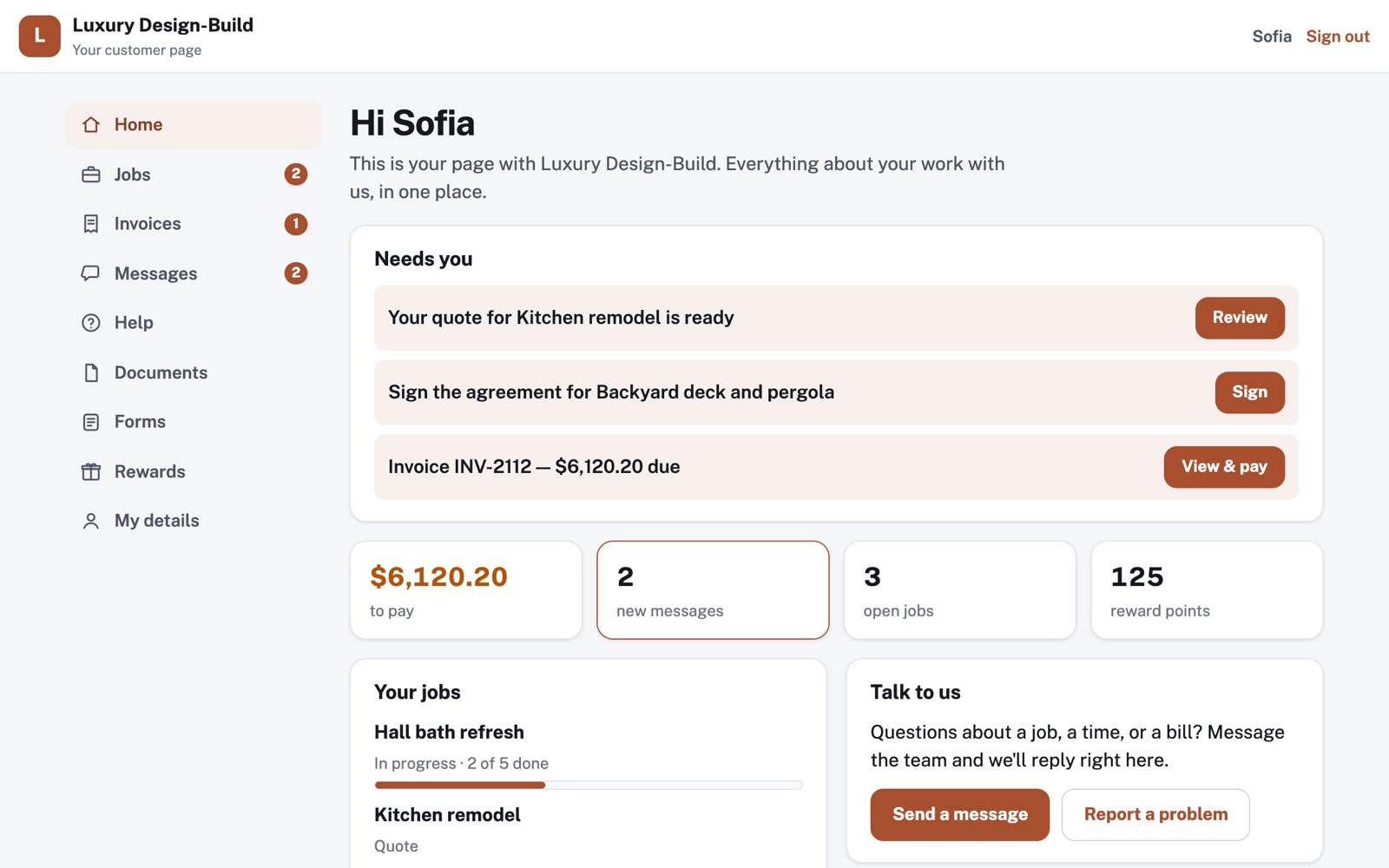
Four things it does, in order.
From the link they open to the invoice they pay.
Invite
Pick someone from your customer list, then email them their link or text it from your own phone. The link opens their page, and you can switch it off any time.
Agree
Send a quote to their page, and they accept the total, with any tax spelled out. Then send your agreement, and they sign it by typing their name. You keep the exact terms they signed, and when.
Follow
Their job page shows each step from quote to paid, the progress, your updates and who's on the crew. When they message you or ask for help, it lands in one inbox.
Get paid
Invoice the job from the accepted quote, or from the materials and labor you logged. They pay through your own payment link, or tell you they've paid.
For example
Three businesses, three questions.
The kind of thing the Customer Portal is built to answer.
-
The remodeling contractor
How do I keep homeowners posted without calling every day?
Post an update on the job. They read it on their job page, next to the progress and the crew, and you can email it to them with a link.
-
The fitness studio
Where do new members fill in intake forms and waivers?
Build each form once, with a typed signature where you need one. It's on every member's page, and you keep each answer with its question worded exactly as they saw it.
-
The lawn care company
How do I reward the customers who've stuck with me for years?
Turn on rewards, pick the points per dollar and list what they can be spent on. Customers earn points on invoices paid in full, and you mark each reward as handed over.
Illustrations of how Customer Portal is used, not customer stories.
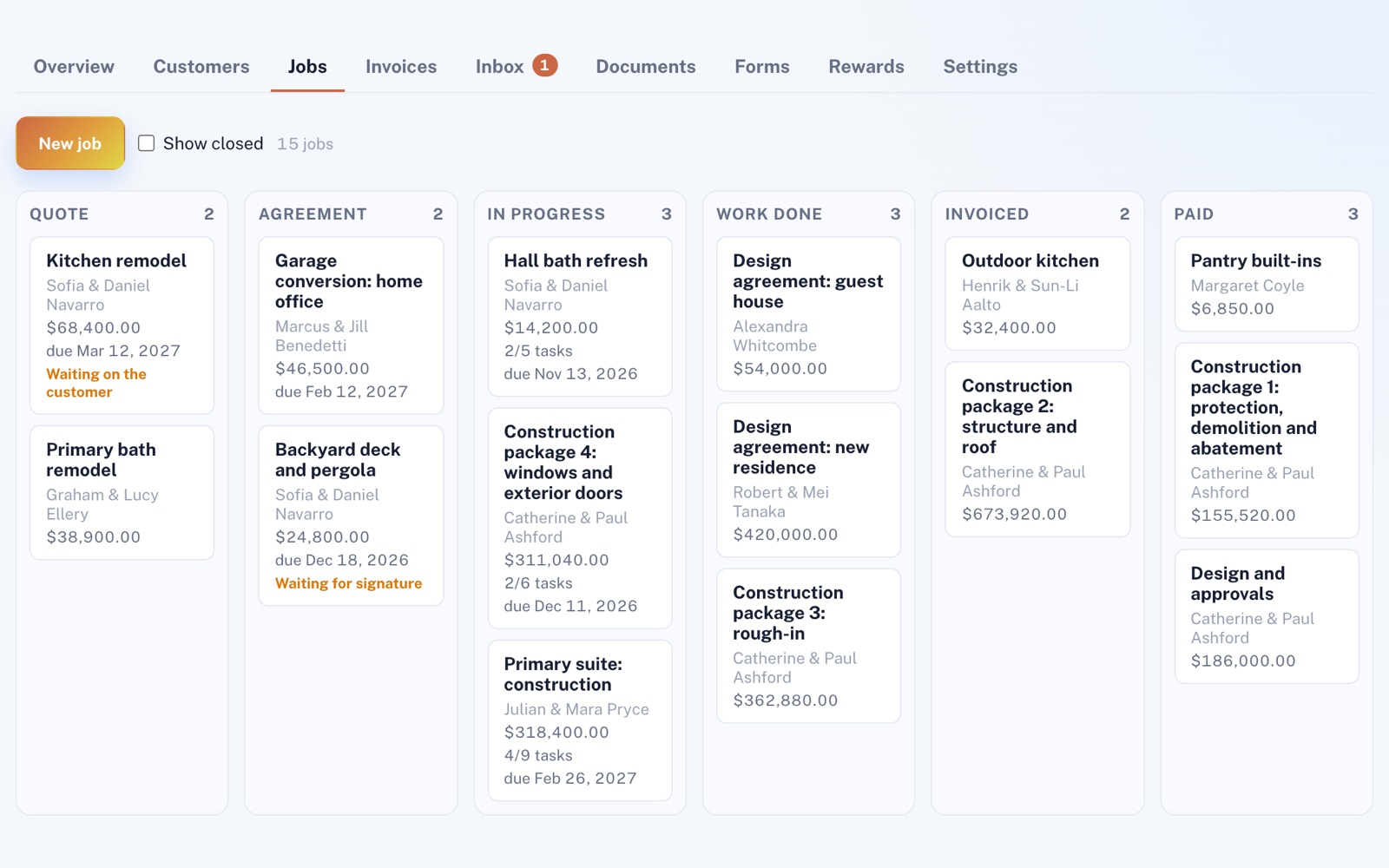
The Jobs board
See who you're waiting on.
Jobs sit in columns by stage: Quote, Agreement, In progress, Work done, Invoiced and Paid. At a glance, you can tell which ones are waiting on the customer or a signature.
What they see
Accept and sign from a phone.
Their job page carries your logo and color. Your quote and agreement show up there, ready to accept and sign on the spot.
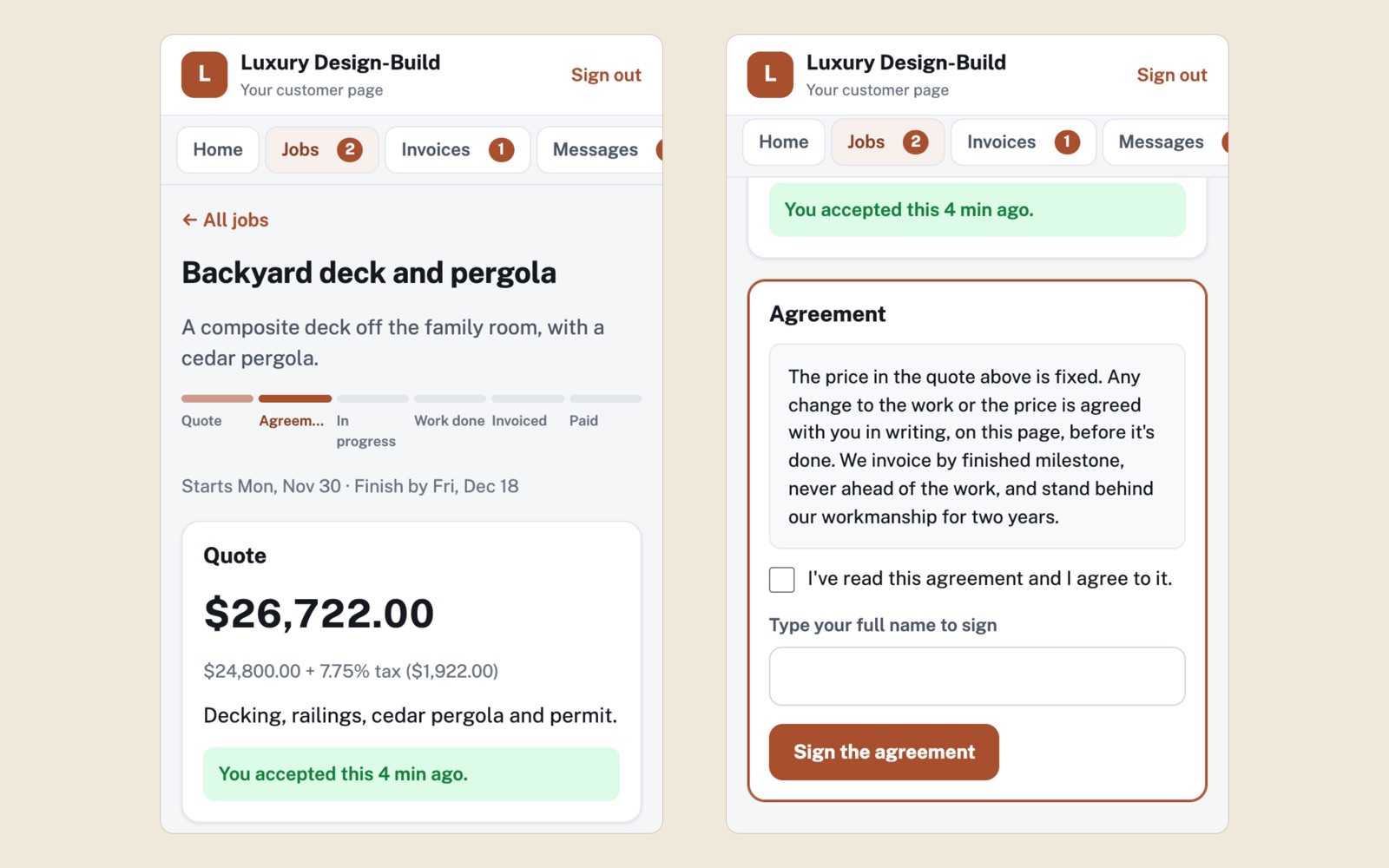
Screens shown with sample data.
Works well with
Better together.
The Customer Portal does more alongside these.
- CRM Your customer list lives there, so anyone you add can get a link to their own page. Take a look
- Projects & Jobs One click makes a work order from a job, and the customer sees the visit's time, progress and crew on their page. Take a look
- Scheduling Puts your open times on each customer's page, so they can book and see their appointments. Take a look
Coming to Customer Portal
Card payments on the customer's invoice page, straight into your own Stripe account, once the platform has them switched on. They need Invoicing & Payments on your plan as well.
Open an account
Invite your first customer today.
Create your account (the CRM comes ticked with it, since your customer list lives there), then pick a customer and send them their link.