CRM
Keep every customer's history in one place.
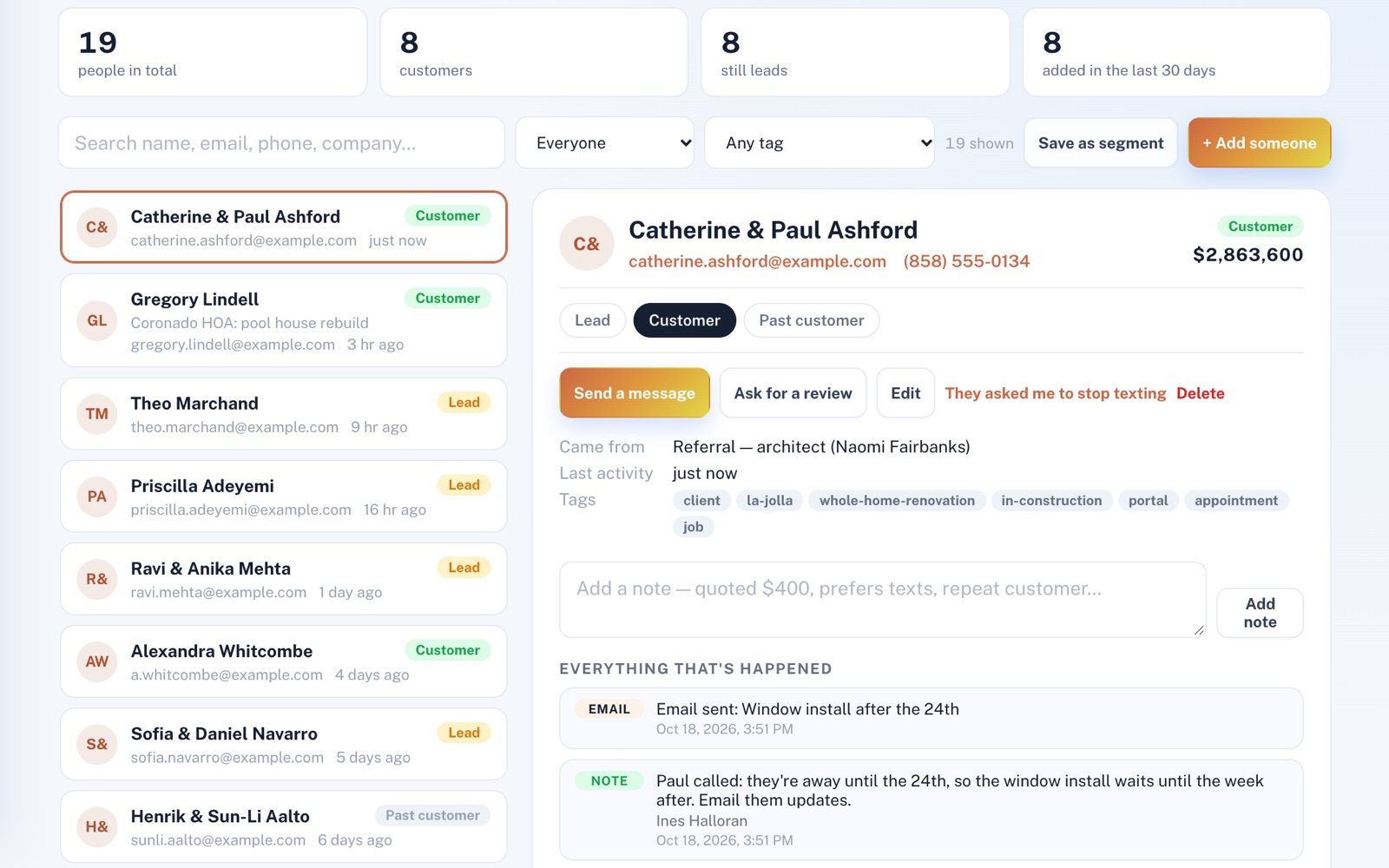
Leads, bookings and your old spreadsheet fill one list of your customers. Open anyone's page to see their history, down to the emails you've sent them and your team's notes, then email them or text them from your own phone.
Four things it does, in order.
From the first time someone gets in touch to the email you send a whole group.
Gather
The other services on your plan add people to your list for you: leads, bookings, survey answers that leave an email or phone, and new customers you bill. Import your old spreadsheet too.
Know
Each person has a page with their history, newest first. It shows the inquiry they sent, surveys they answered, emails and texts to them, jobs from Projects & Jobs, and the notes your team adds to it.
Reach one
Email one person from their page, under your business's name, and replies go to your own inbox. Or write a text there to send from your own phone.
Reach many
Save any search as a segment that stays up to date by itself. Write one email to a group and send it, with your mailing address and an unsubscribe link added at the bottom.
For example
Three businesses, three questions.
The kind of thing CRM is built to answer.
-
The pool service company
What did we note about this customer's equipment?
Open their page and read your team's notes on it, each with who wrote it, alongside the emails sent to them.
-
The real estate agent
Do I have to retype the contacts I keep in a spreadsheet?
No. Bring them in from a CSV file, and anyone already in your list is updated rather than added twice. Possible duplicates can be merged in one press.
-
The boutique owner
How do I tell my regulars about Sunday hours?
Tag your regulars, save them as a segment and write them one email. Anyone you give that tag later is in the segment next time.
Illustrations of how CRM is used, not customer stories.
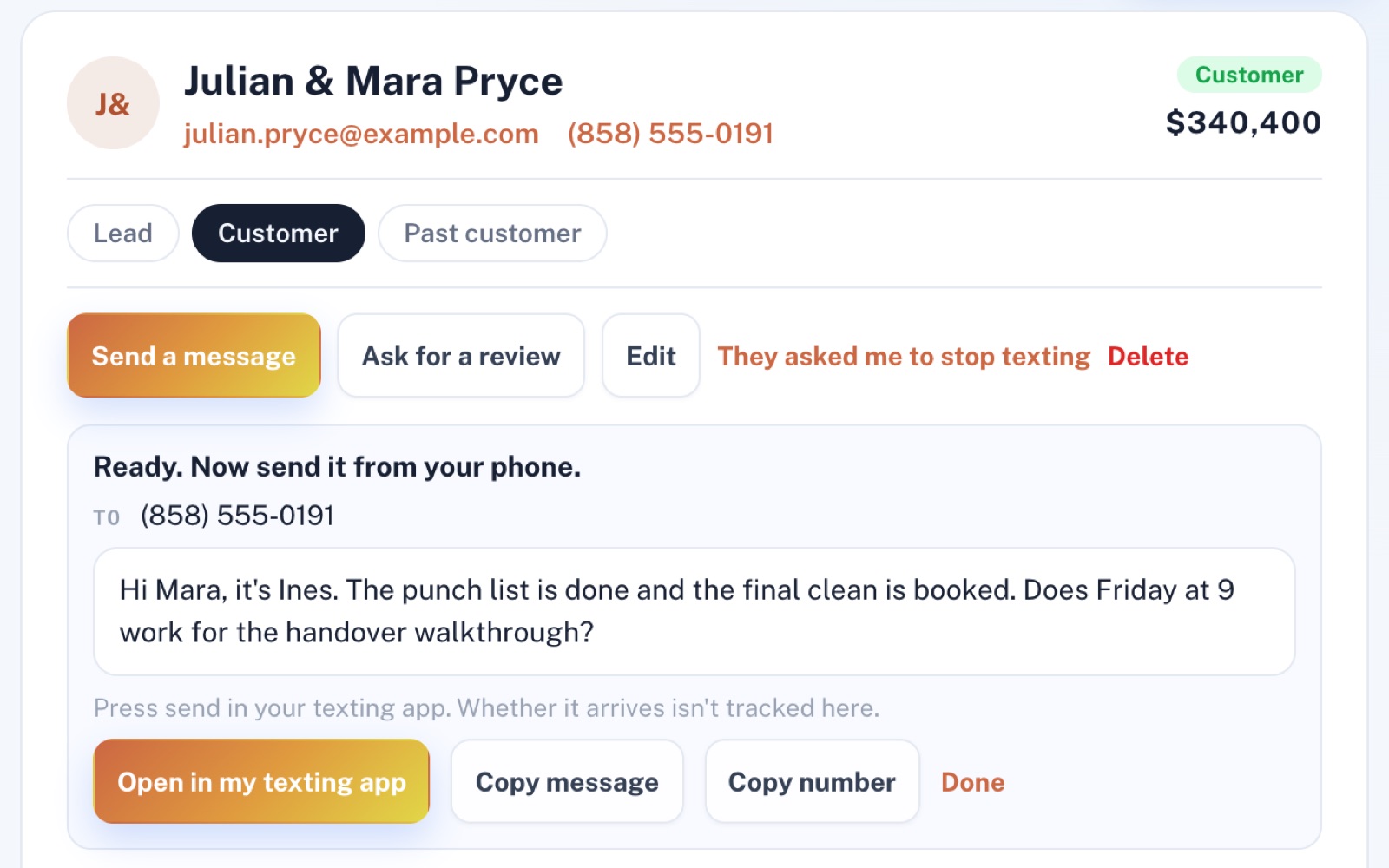
One person, one text
Written here, sent from your phone.
On your phone, write a text on a customer's page and press Text from my phone. One more press opens your texting app with their number and your words, ready to send, and their reply comes straight back to you.
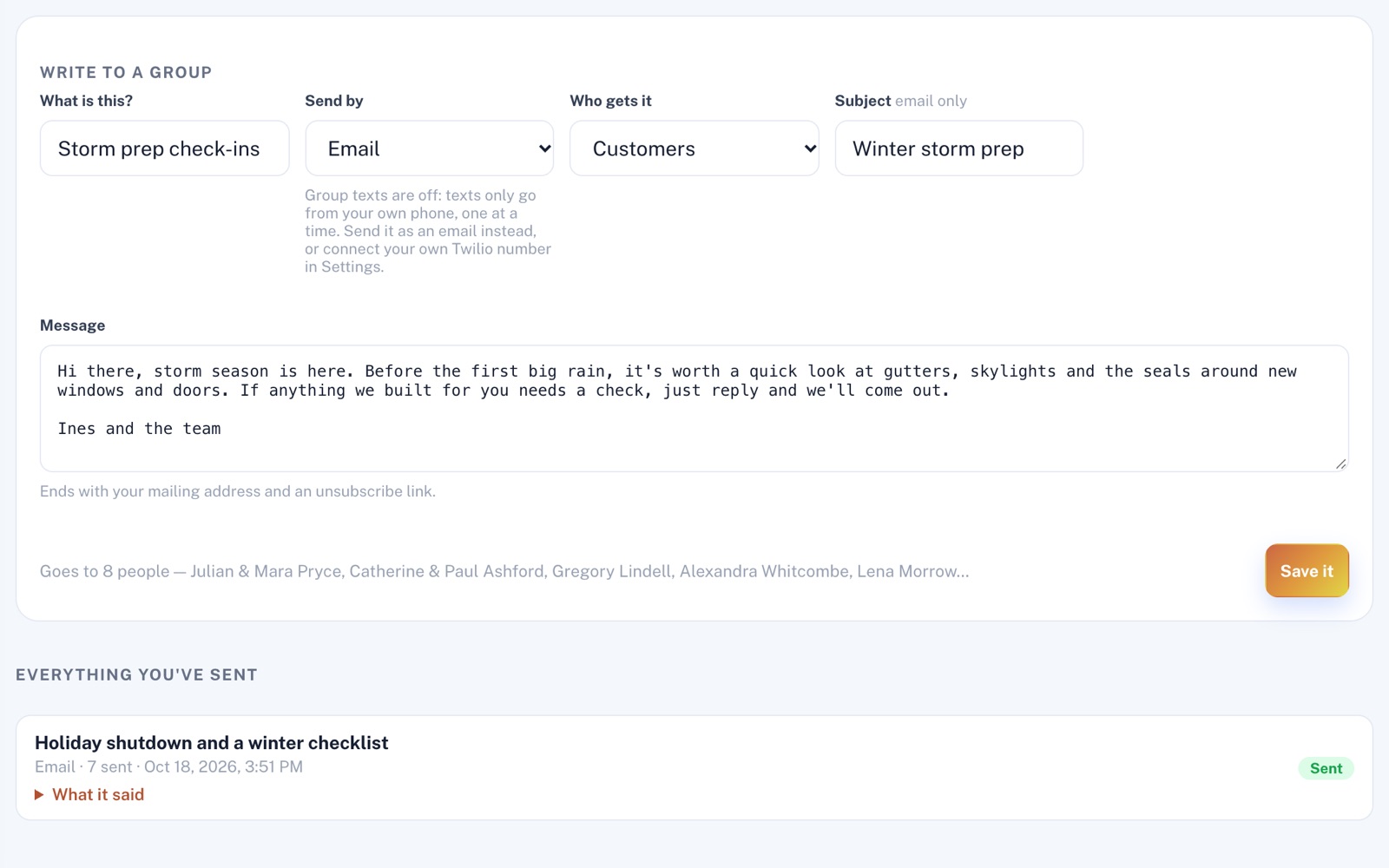
One email, many people
See the count before you send.
Pick everyone, just your customers or a saved segment, and the page tells you how many people the email will go to, with a few of their names. Anyone who opted out is already left off.
Screens shown with sample data.
Works well with
Better together.
CRM does more alongside these.
- Lead Management Everyone who sends an inquiry is in your list the moment it arrives. Take a look
- Projects & Jobs Book a job for a customer from your list, and it shows on their history, then again when it's finished. Take a look
- Invoicing & Payments The invoices, receipts and reminders you send show up in each customer's history. Take a look
Coming to CRM
Customers' replies to the emails you send from their page, kept on that page, once the platform's incoming email is switched on.
Open an account
Bring your customer list in today.
Create your account and import your customer spreadsheet as a CSV with an Email or Phone column, up to 2,000 rows at a time. Everyone it brings in gets a page of their own.