Projects & Jobs
Run every job from estimate to sign-off.
Put each job on a work order your crew can open on their phones, with its checklist, photos and time clock. Customers approve your estimate and sign off on the finished work from a link, no account needed.
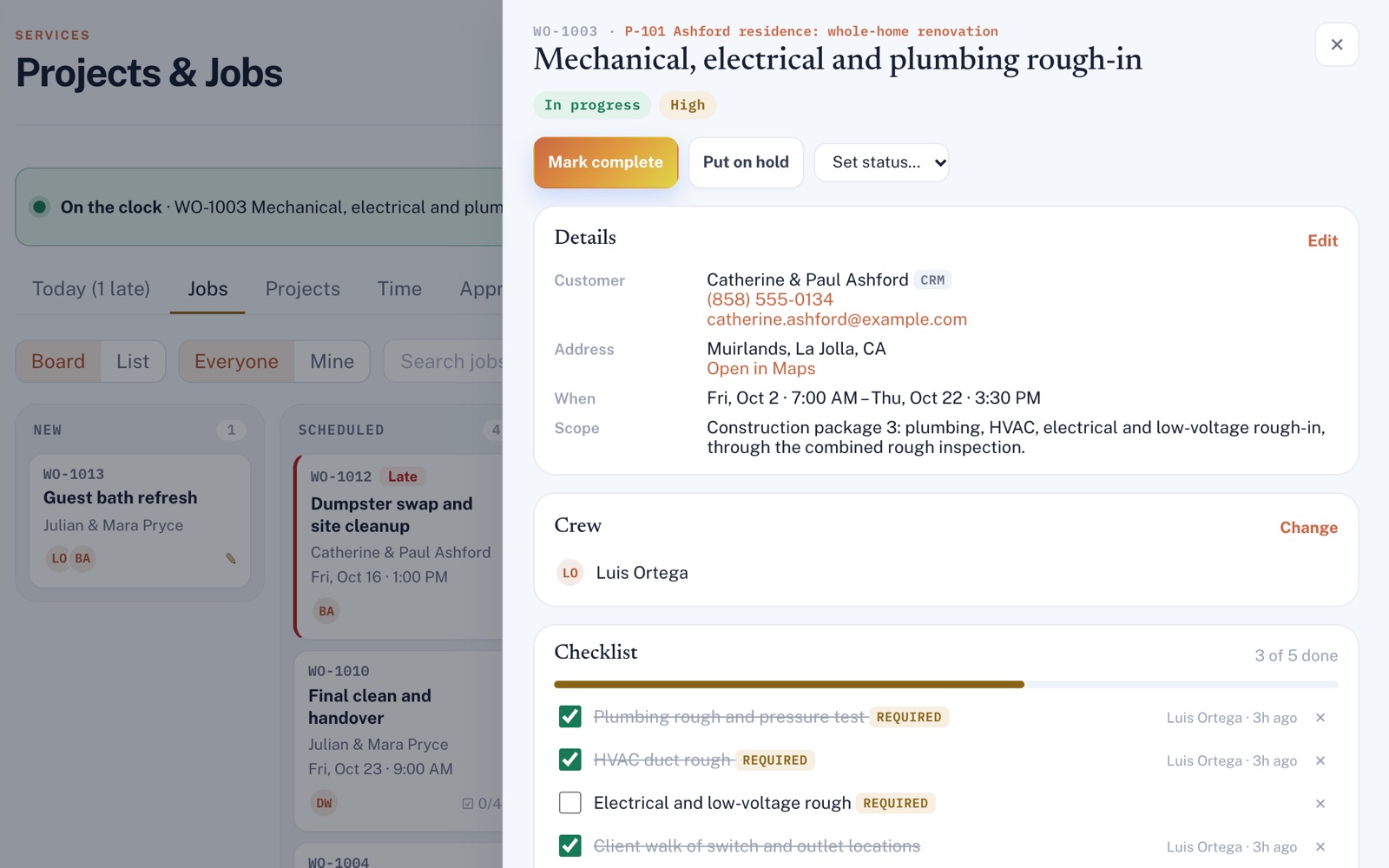
Four things it does, in order.
Plan the job, get it approved, do the work, then close it out.
Plan
Make a work order with the customer, address, time and crew. Work that takes several visits can go under a project with its own task board. Everyone you put on a job is told in the app and by email.
Agree
Send an estimate, a change order or a plan of work, priced line by line if you like. The customer types their name to approve, and their answer can't be changed.
Work
The crew clocks in on the job, works through the checklist and adds before, during and after photos. A job can't be marked complete until its required items are checked off.
Finish
Write a completion report with the photos you pick and ask the customer to sign off on the work. Everyone's clocked hours land in the week's timesheet, ready to download.
For example
Three businesses, three questions.
The kind of thing Projects & Jobs is built to answer.
-
The deck builder
How do I prove the homeowner agreed to a change order?
Send the change order with its price. They type their name and check the box to agree, and the job keeps a record of who answered, when, and the total they approved.
-
The roofing company
What stops my crew from closing out a job before the cleanup is done?
Mark the must-do items as required, like the magnet sweep for nails. The job can't be closed out until they're checked off, it tells you what's left, and each one shows who checked it.
-
The water damage restoration company
How many hours did the crew put in on that burst-pipe job?
Everyone clocks in on the job from their phone. The job adds up the hours by person, and the week's timesheet downloads as a spreadsheet file.
Illustrations of how Projects & Jobs is used, not customer stories.
First thing
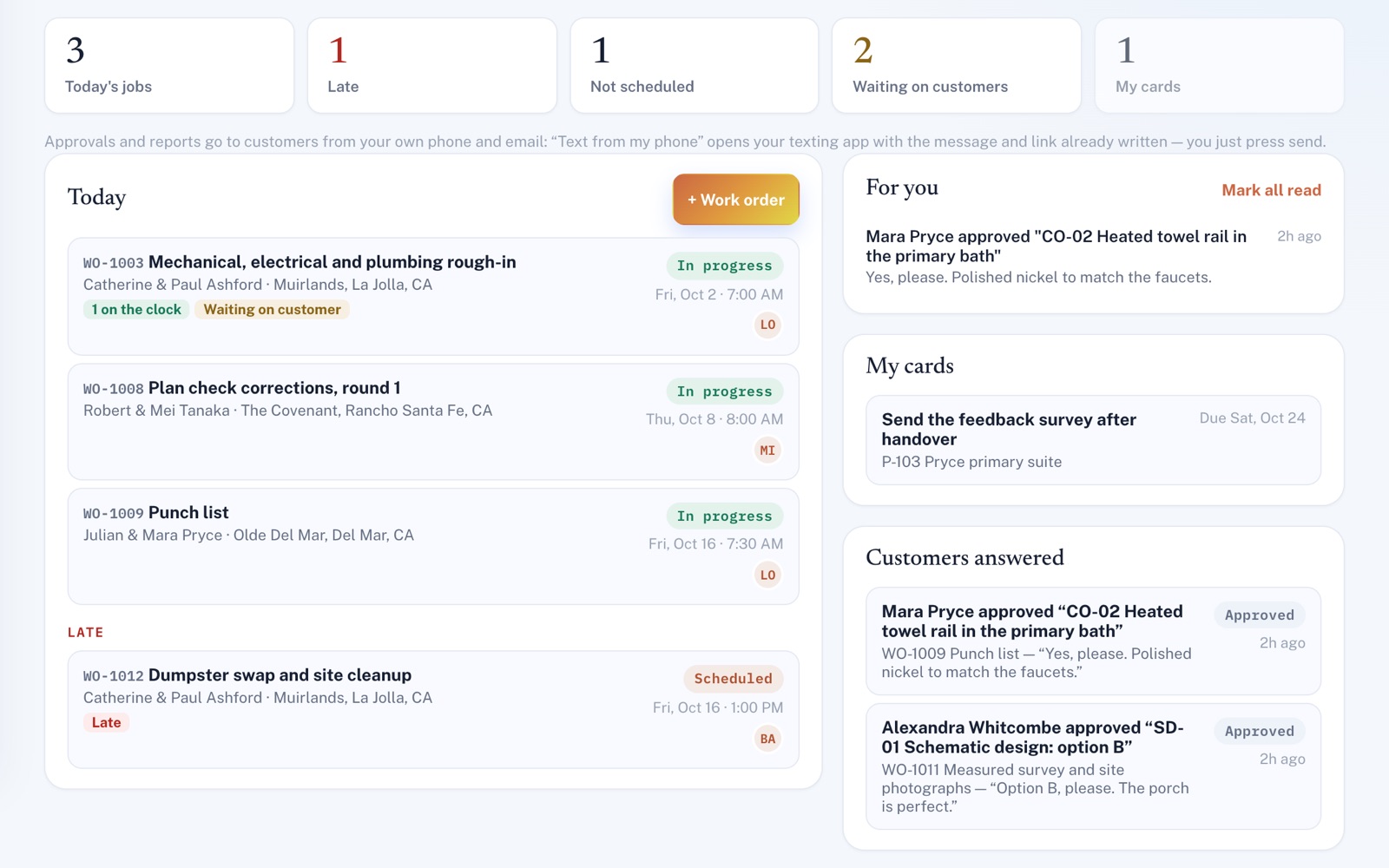
The whole day on one screen.
Today's jobs, what's late, what isn't scheduled yet and what's waiting on a customer. Beside them, what's new for you and what customers approved or declined in the last week.
Customer approvals
Your estimate, on their phone.
Your customer sees the estimate or change order, the price on each line and any photos you picked, under your business name, and your logo once you've added it. They approve or decline, and the person who asked is told right away.
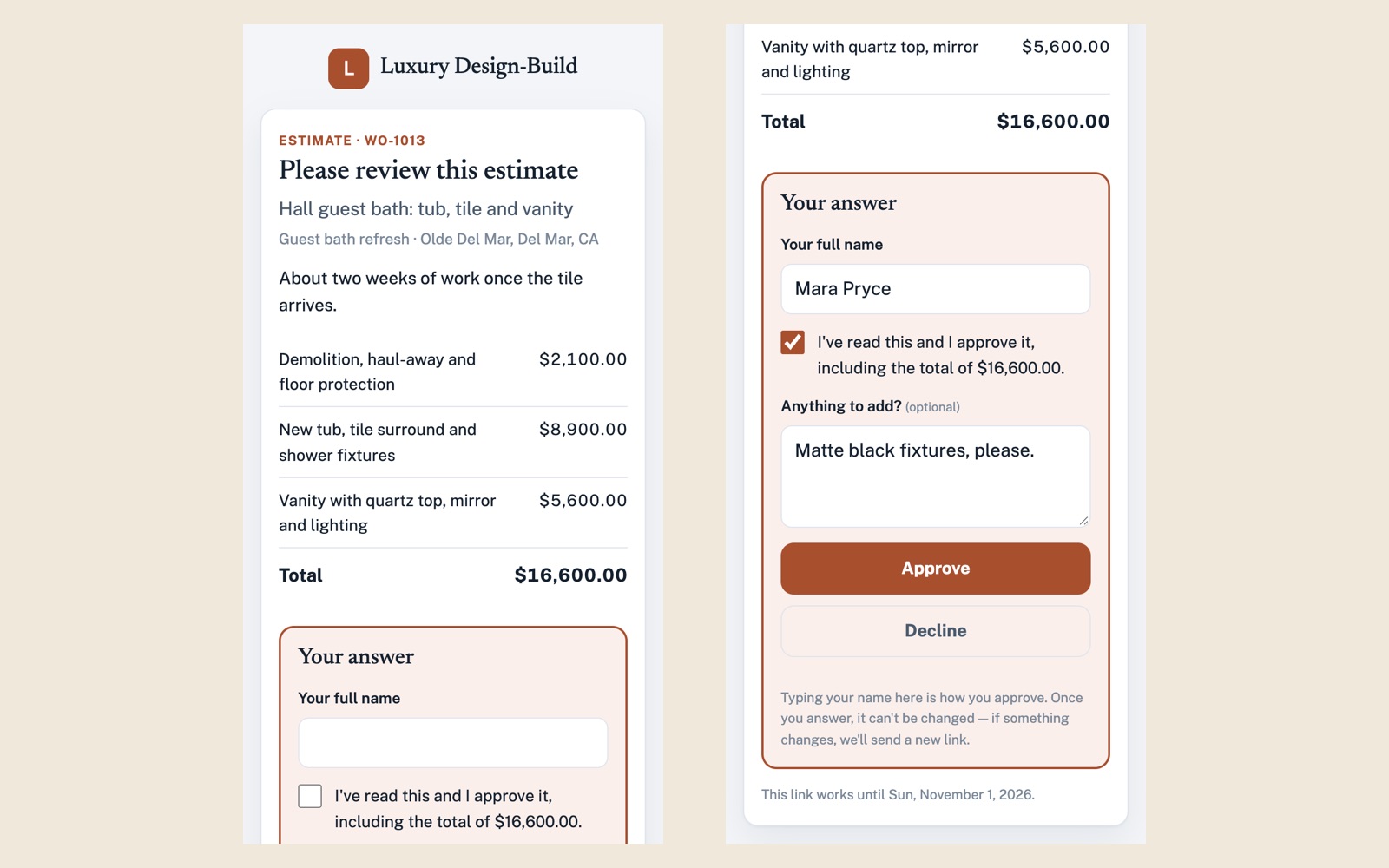
Screens shown with sample data.
Works well with
Better together.
Projects & Jobs does more alongside these.
- Invoicing & Payments Finished jobs for customers on your list become draft invoices in one click, priced from what they approved or from your crew's hours at your hourly rate. Take a look
- Transportation Plan each crew's day from your work orders, with Google Maps drive times for the hour they'll be on the road. Take a look
- Review Automation Once you switch it on, finished jobs for customers on your list line up a thank-you and a review request, each emailed in one press when it's due. Take a look
Open an account
Send your crew their next job.
Create your account, add your crew, and set up tomorrow's first job tonight. They'll hear about it in the app and by email.