Transportation
Plan each crew's day around the traffic.
See each person's day, stop by stop, with Google Maps drive times based on expected traffic at the hour they'll be on the road: when to leave, when they'll arrive, and one tap for directions. Jobs come from Projects & Jobs, when it's on your plan too.
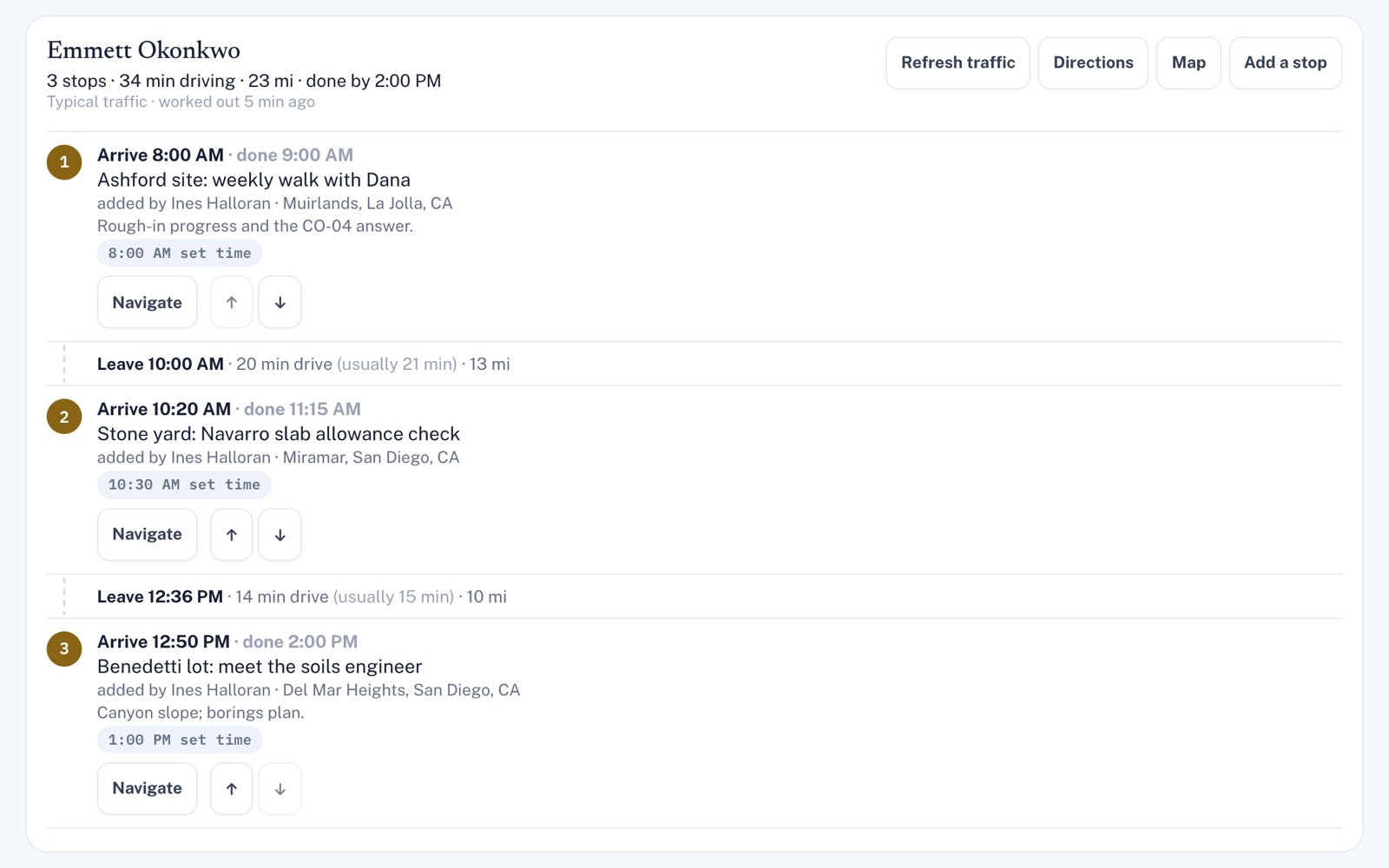
Four things it does, in order.
From the jobs on the schedule to the crew on the road.
Gather
Pick a day and everyone on the road gets their own route: the jobs they're on from Projects & Jobs, plus any other stops you add, like the supply house. Jobs nobody's on yet can be handed out right there.
Time
Each drive is timed with the traffic Google Maps expects at the hour it happens, from the shop's address in Settings or each person's own start point. Each stop shows when to leave, when they'll arrive and, if late, by how much.
Rearrange
Booked jobs keep their times. Mark the ones that can be done any time that day, and Best order fits them around the rest with the least driving it can find, steering clear of late arrivals.
Go
Open the day's route in Google Maps, in parts on a long day, or turn-by-turn directions to one stop. On their own route, each person can tap On my way and their phone opens a text to the customer, arrival time filled in, ready to send.
For example
Three businesses, three questions.
The kind of thing Transportation is built to answer.
-
The appliance repair company
When does my tech have to leave to make a 9:00 across town?
Their route shows the latest they can leave, with traffic for that hour, and still arrive early by the minutes you've set. If that's before your usual start time, it says so.
-
The handyman
Which order gets me through today's jobs with the least driving?
Before you head out, mark the jobs that can move as Any time today, then press Best order. It looks for the order with the least driving and says about how much it saves.
-
The cabinet shop
Did the cabinets we sent out Tuesday reach the job site?
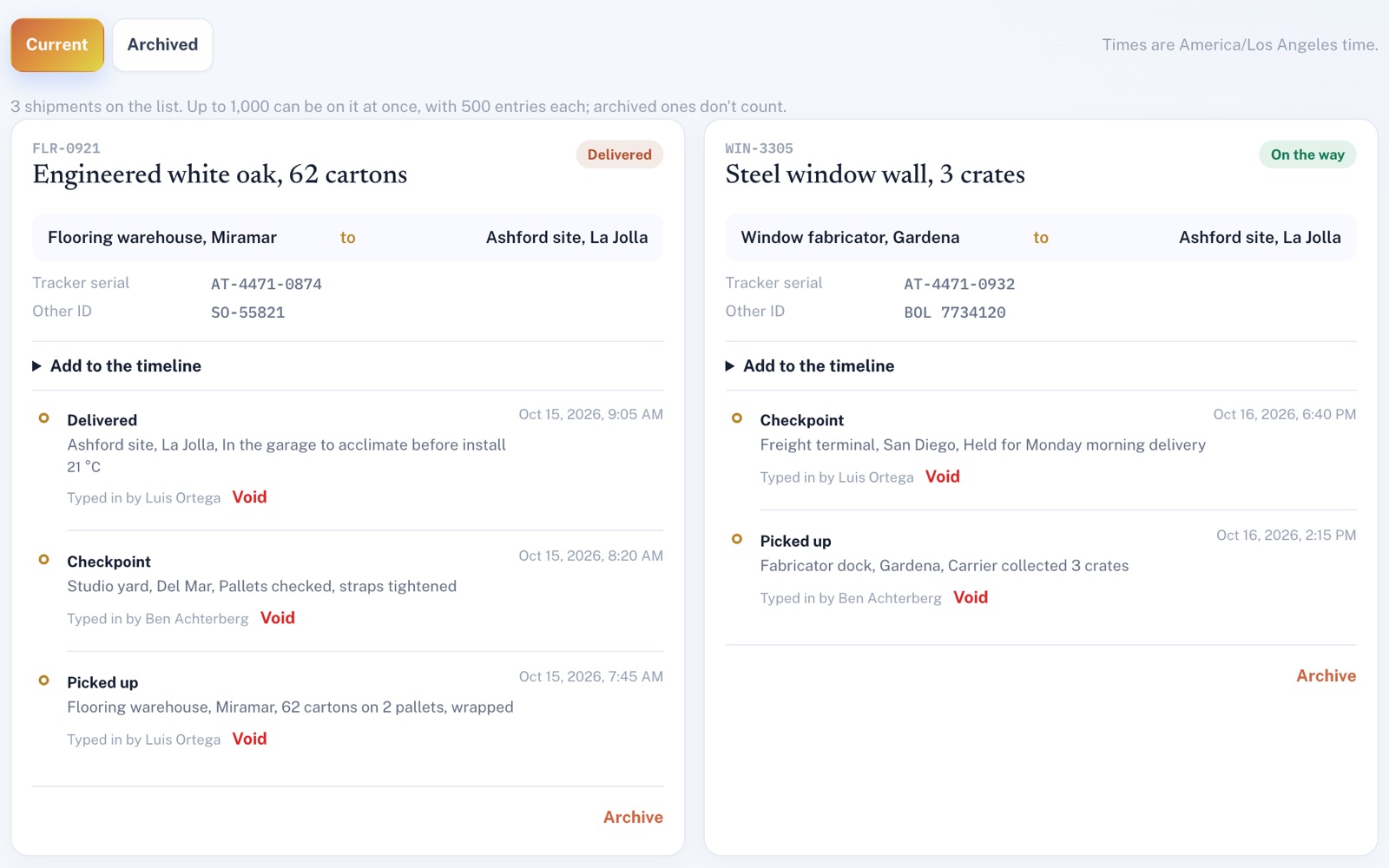
Check the Shipment log. It shows whether it's on the way, delivered or has a problem, going by what your team logged, with each step and when it happened.
Illustrations of how Transportation is used, not customer stories.
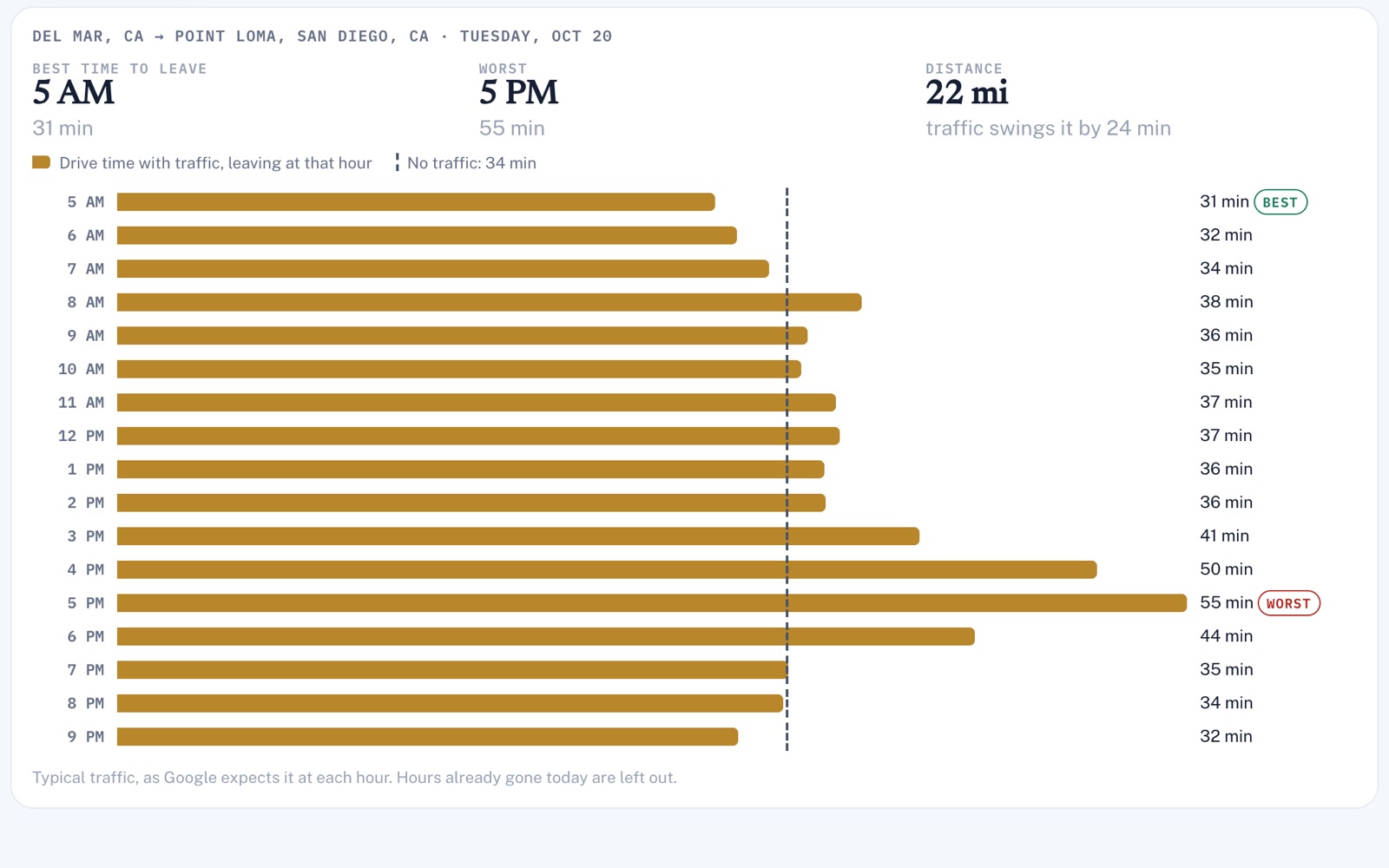
Any drive
The best hour to leave.
Type in two addresses and see how long the drive takes if you leave at each hour from 5 AM to 9 PM, with the best and worst hour called out. Handy when a customer asks if you can really be there at 5.
Loads, not just crews
Every shipment, step by step.
Give each shipment a reference and where it's going, then log each pickup, checkpoint, delivery or problem, with a note or a temperature. Your team types in every entry. An administrator can void a wrong one, but it stays on the record, marked as voided.
Screens shown with sample data.
Works well with
Better together.
Transportation does more alongside these.
Open an account
Plan tomorrow's routes tonight.
Create your account (Projects & Jobs comes ticked with it), set your shop's address and book tomorrow's jobs with who's going where. Each person's day lines up in order, with the drive times worked out.