Invoicing & Payments
Bill every job, and see who still owes.
Send estimates and invoices by email or from your own phone, with payment reminders lined up for you, sent in one press. Customers open them without an account, pay through your own payment link and tell you they've paid.
Four things it does, in order.
From the estimate you send to the money you're owed.
Quote
Price the job with an estimate: line items, taxes, a discount and a deposit. Once your customer accepts it from their link by typing their name, you turn it into an invoice in one press.
Bill
Email the invoice, or text it from your own phone with its link already written in. Then see when the customer opens it.
Get paid
The customer's page shows what's due and a button to your own payment link. Paid through your link, by check or in cash? They tell you from the same page, and you confirm it when the money arrives.
Follow up
Reminders before, on and after the due date are lined up for each invoice. The ones due today go out by email in one press. See who owes you what, and how late, at a glance.
For example
Three businesses, three questions.
The kind of thing Invoicing & Payments is built to answer.
-
The electrician
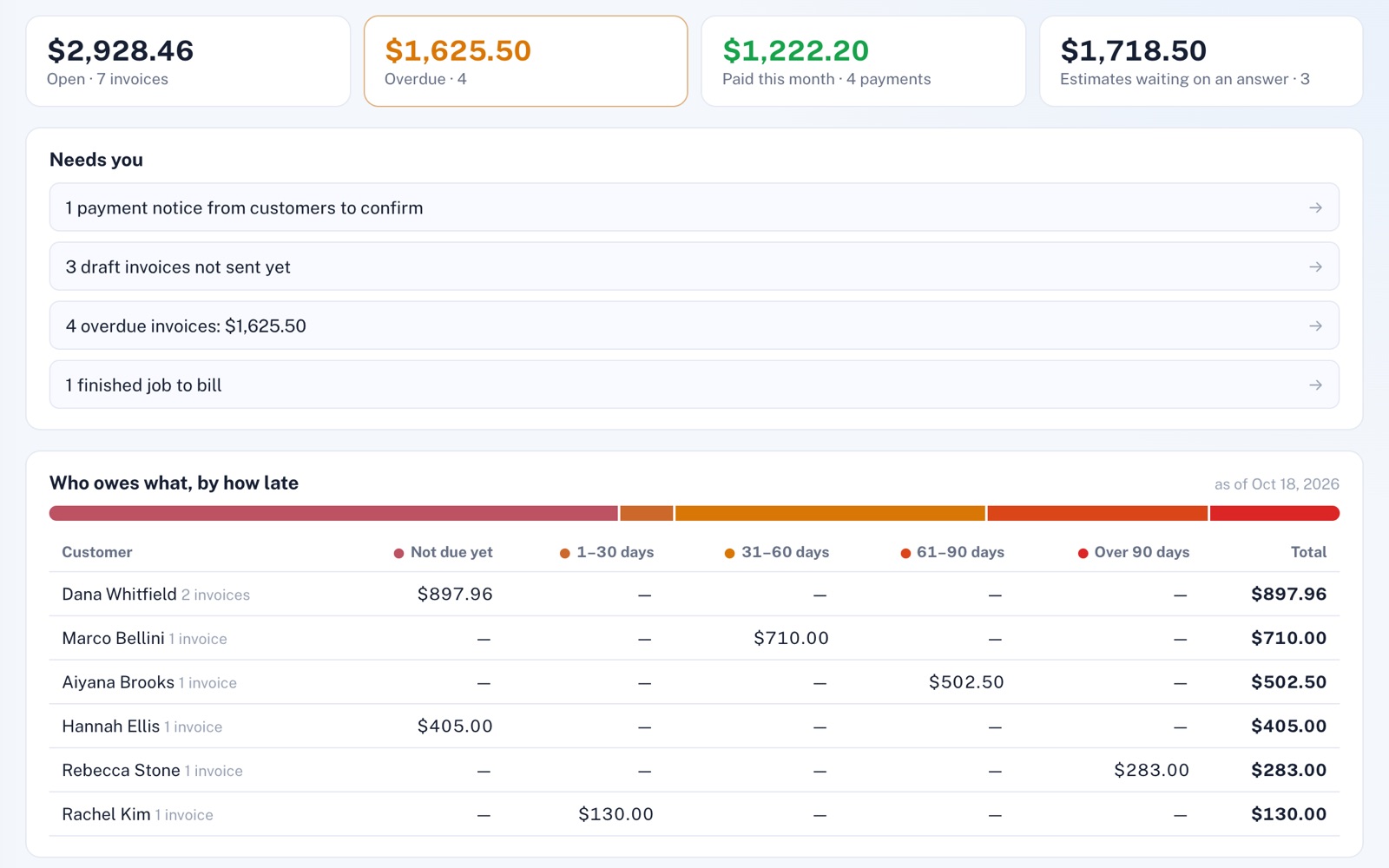
Who still owes me, and how late are they?
One screen splits what each customer owes by how late it is, from not due yet to over 90 days, with the overdue invoices a click away.
-
The pest control company
Can I bill my quarterly customers without retyping every invoice?
Set up each customer's recurring invoice once, every three months if you like. When they come due, a single press makes the invoices and can email each one to its customer, and no date is ever billed twice.
-
The house painter
How do I get a deposit before I buy the paint?
Add a deposit to the estimate, as an amount or a percentage. Once the customer accepts, the invoice you make from it carries the deposit over, and their page asks for the deposit first.
Illustrations of how Invoicing & Payments is used, not customer stories.
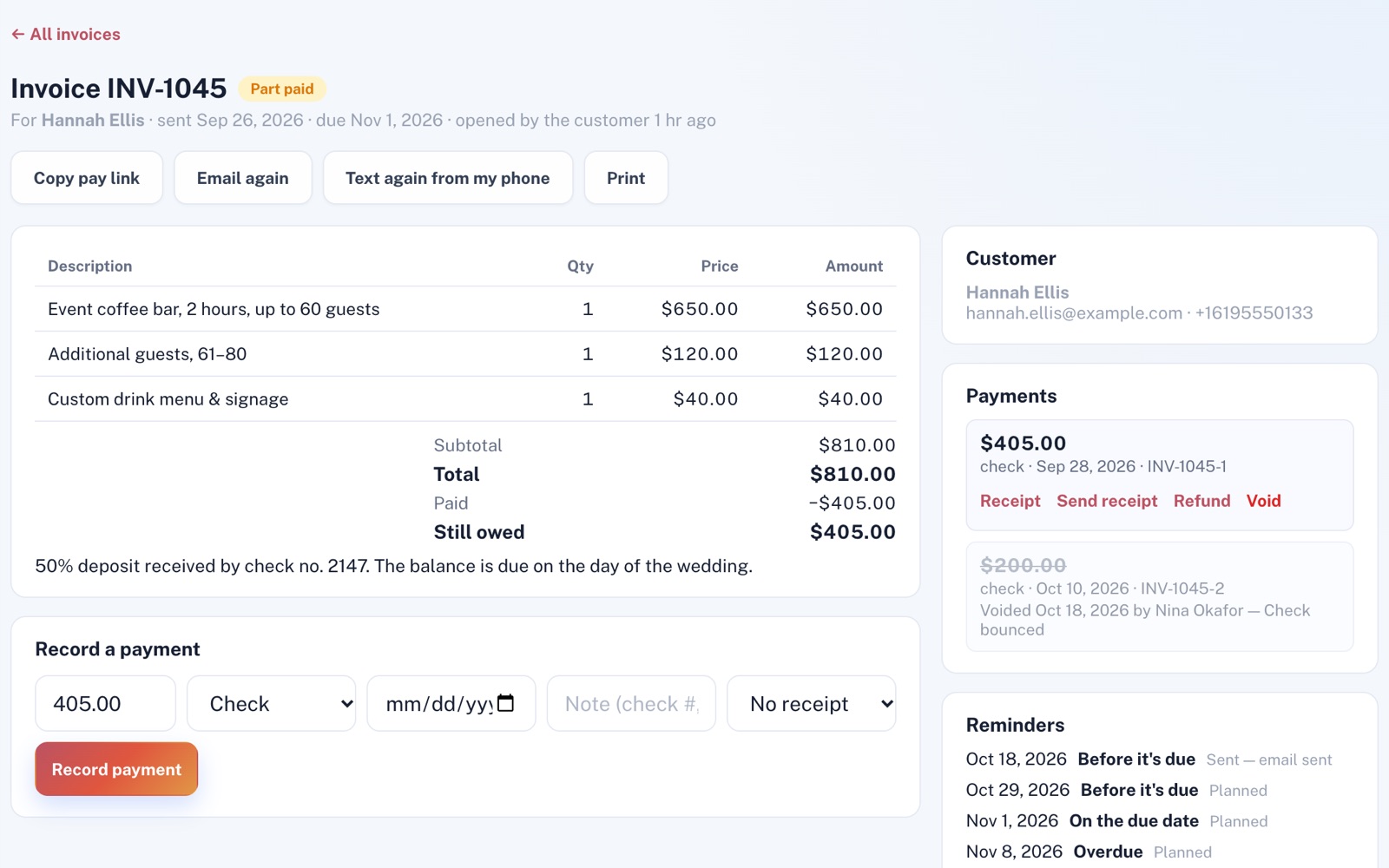
One invoice
Where each invoice stands.
See whether the customer opened it, every payment with its receipt number, and the reminders planned for it. No payment is ever erased: a bounced check is voided and stays on the record, crossed out, with who voided it and when.
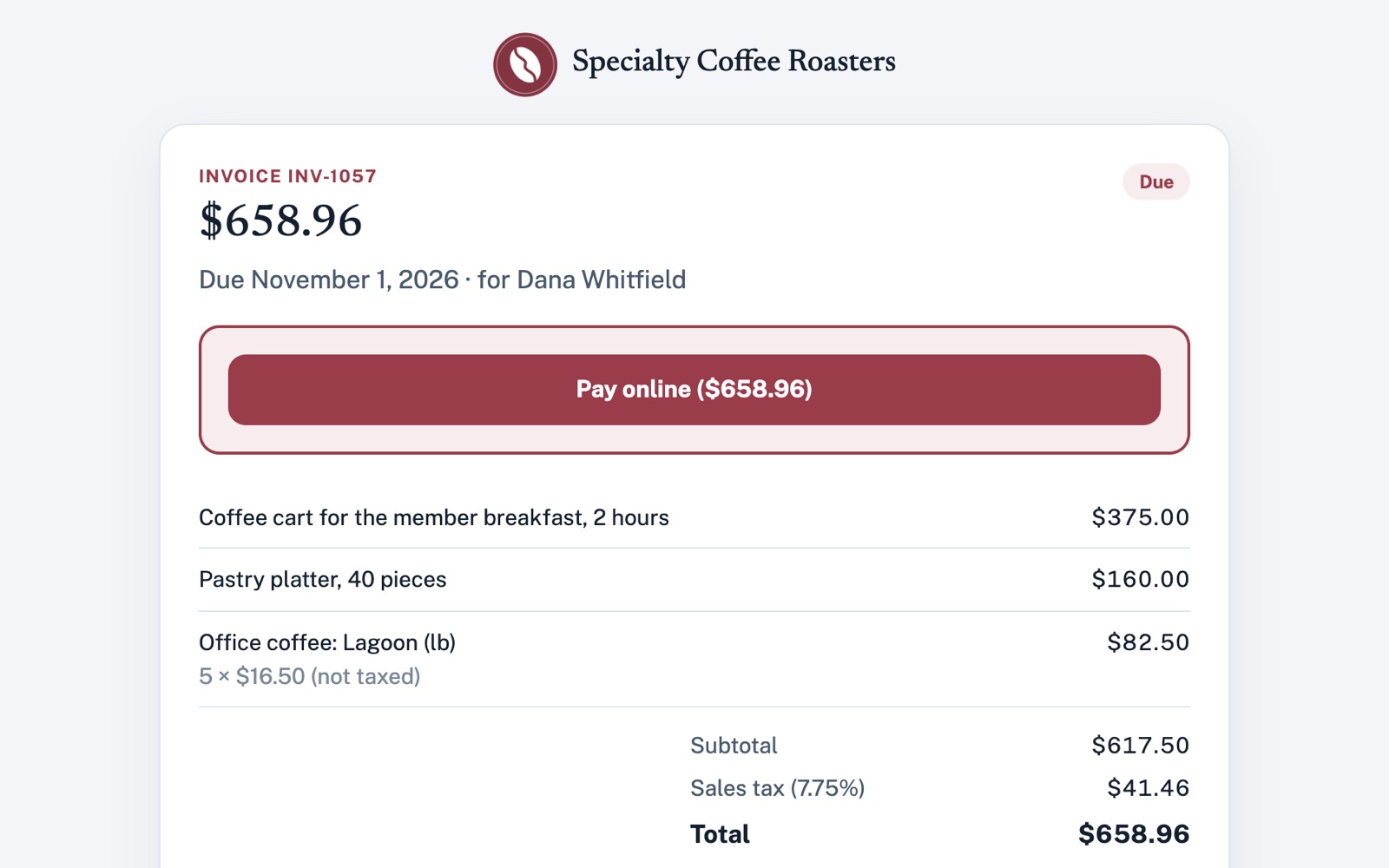
What your customer sees
Their invoice, no account needed.
It shows your logo and brand color, what's due and when, every line item and tax, and a button to your own payment link.
Screens shown with sample data.
Works well with
Better together.
Invoicing & Payments does more alongside these.
- Projects & Jobs A finished job is drafted as an invoice in one click, from what the customer approved or the hours your crew clocked at your hourly rate. Take a look
- Accounting Integration Turns your invoices, payments and refunds into accountant-ready files for any dates. Take a look
- Customer Portal Your invoices also show on each customer's own page, beside their jobs and messages. Take a look
Coming to Invoicing & Payments
Card payments on the customer's page, straight into your own Stripe account, once the platform has them switched on. An assistant that tells you who owes you and drafts invoices for your OK, once the platform's AI is switched on.
Open an account
Send your first invoice today.
Create your account, add your payment link, and you're ready to bill your first job.