Accounting Integration
Hand your accountant the month's billing.
Pick any dates and download your invoices, payments, refunds and the customers on them as spreadsheets your accountant can open. It's all built from the invoices you send with Invoicing & Payments or the Customer Portal.
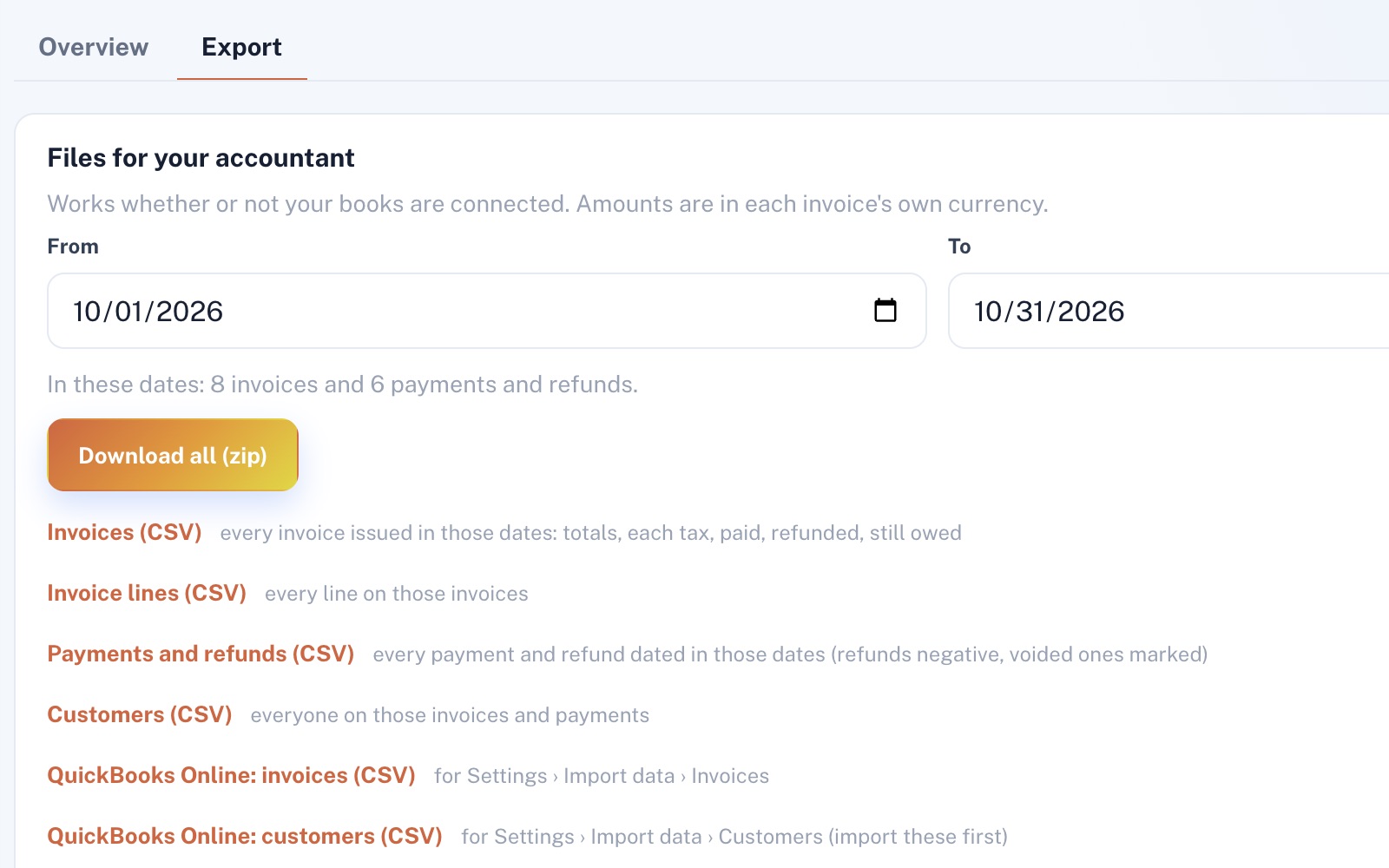
Four things it does, in order.
From the invoice you send to the file your accountant opens.
Gather
Every invoice you send from Invoicing & Payments or the Customer Portal is ready to export, with its lines, taxes, payments and refunds. Drafts are left out.
Pick dates
Choose any dates: a month, a quarter, a whole year. Before you download, it tells you how many invoices and payments those dates hold, or that they hold nothing.
Download
There's a file for invoices, one for their lines, one for payments and refunds, one for customers, and two for QuickBooks Online. Download them one at a time, or together in one zip with a note on what each holds.
For QuickBooks
The two QuickBooks Online files are laid out for its Import data screens: customers first, then invoices. QuickBooks won't import discounts, or any invoices once sales tax is set up there, and payments go in by hand.
For example
Three businesses, three questions.
The kind of thing Accounting Integration is built to answer.
-
The septic company
How do I get last month's invoices to my accountant?
Open the Export tab: last month is already picked. One press of Download all gives you a single zip to send.
-
The marketing agency
How much did we actually collect last quarter?
Set the dates to last quarter and open the payments file. Leave out the rows marked voided, and the rest adds up to what you collected, less refunds.
-
The concrete contractor
My bookkeeper works in QuickBooks Online. What do I send?
Send the whole zip. Whatever QuickBooks Online's import won't take, payments included, your bookkeeper can enter by hand from the spreadsheets.
Illustrations of how Accounting Integration is used, not customer stories.
Built from your billing
Every invoice, however it started.
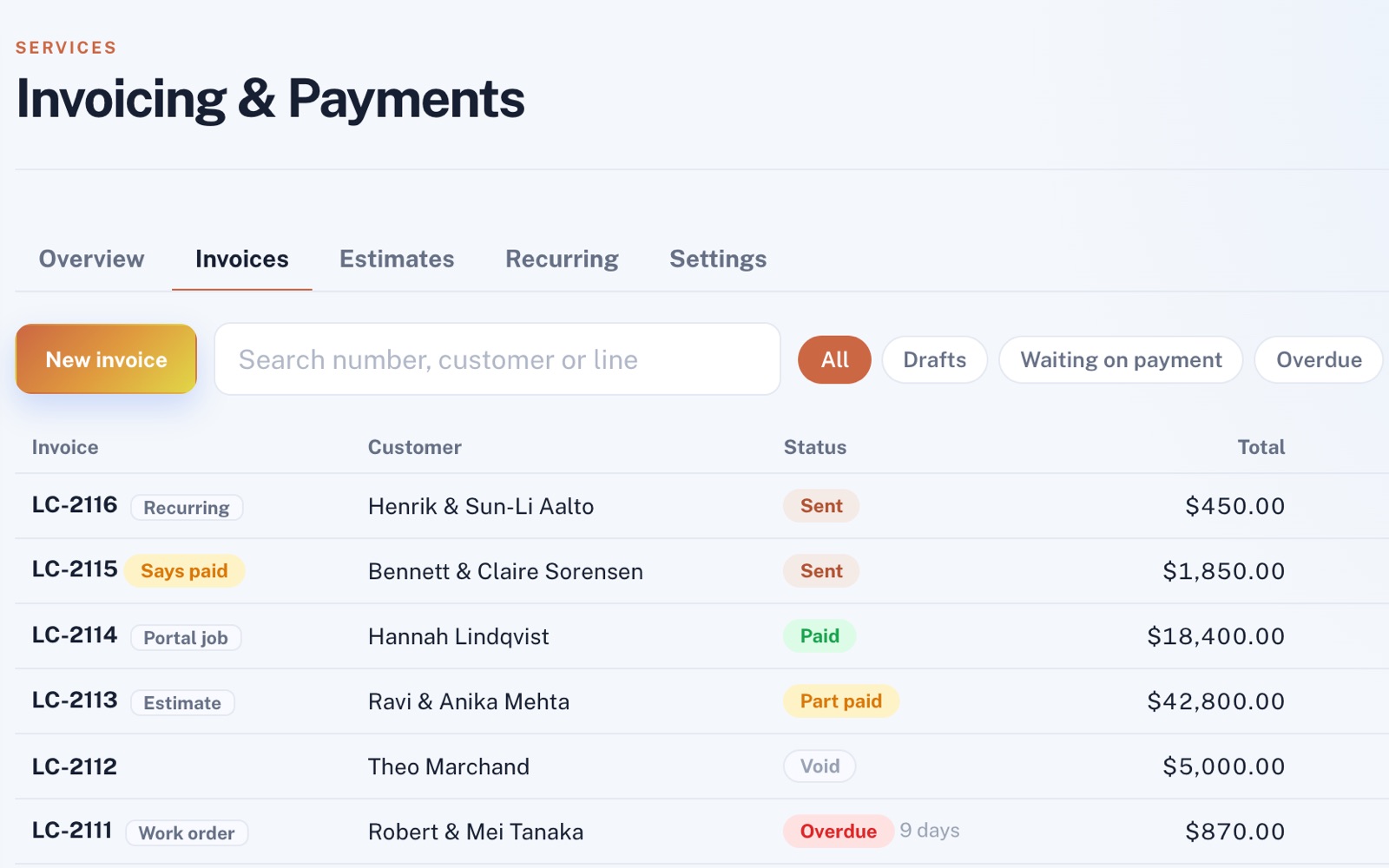
Invoices from your accepted estimates, finished work orders, Customer Portal jobs and recurring bills all sit in one list, and every export is built from it.
Refunds and voids
Marked, not missing.
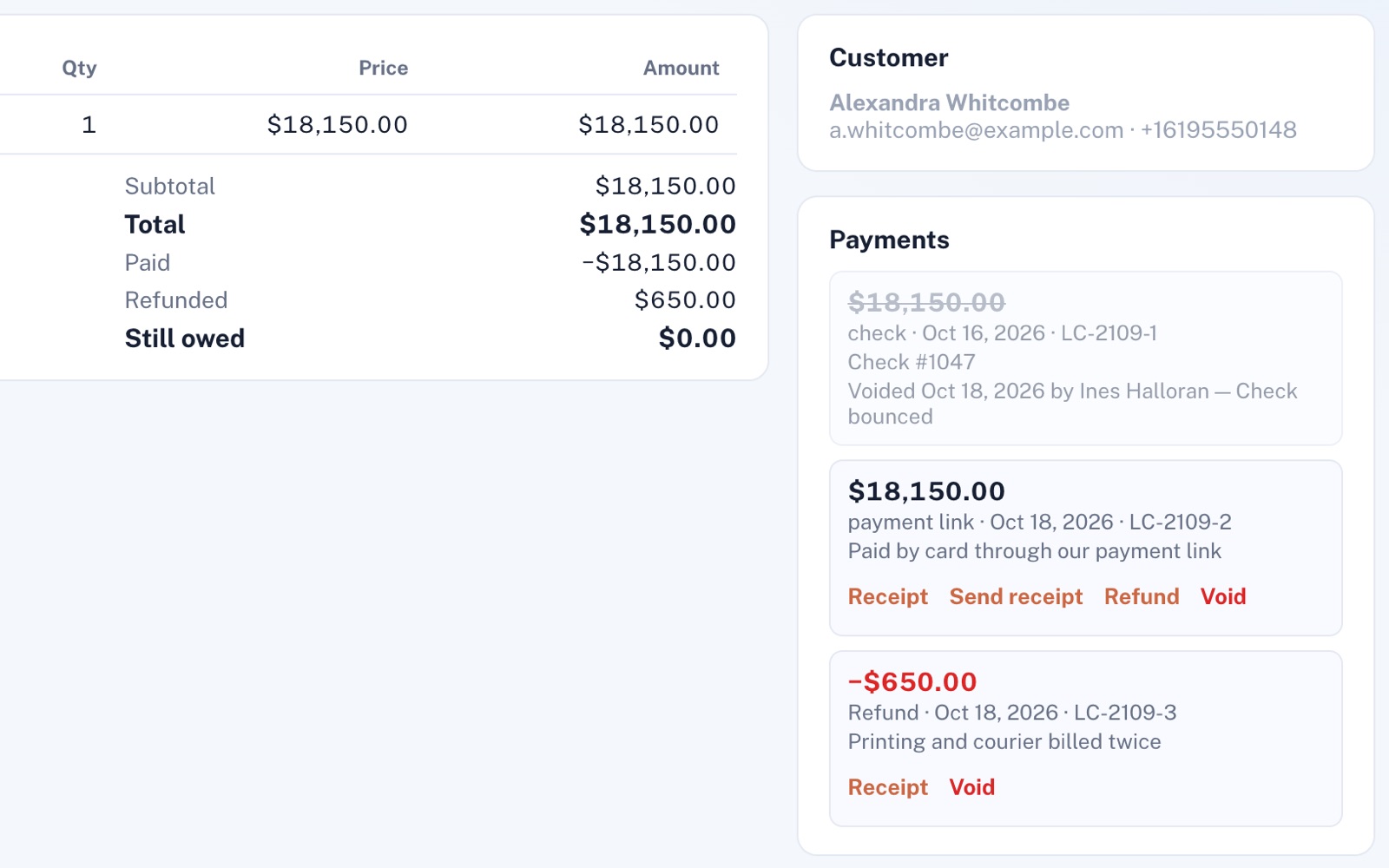
Give money back and the refund is tied to the payment it came from. A bounced check is voided, not deleted. Your payments file keeps both, marked, so it matches what happened on each invoice.
Screens shown with sample data.
Works well with
Better together.
Accounting Integration needs one of these on your plan, because it works from their invoices and payments.
Coming to Accounting Integration
Connect QuickBooks Online or Xero, once the platform has them set up, and one press of Sync now puts your invoices, payments and refunds into your books. Lines, taxes and payments go where you match them once, and nothing is sent twice.
Open an account
Be ready when your accountant asks.
Accounting Integration needs Invoicing & Payments or the Customer Portal on your plan too, since it works from their invoices and payments. Then each month is one download away.