Comms Hub
Hand out work and know who took it.
Message your team in channels or one to one, turn what you type into a job in one press, and see who accepted it and what's overdue. Lead forms, bookings and portal messages from your other services land in one customer inbox.
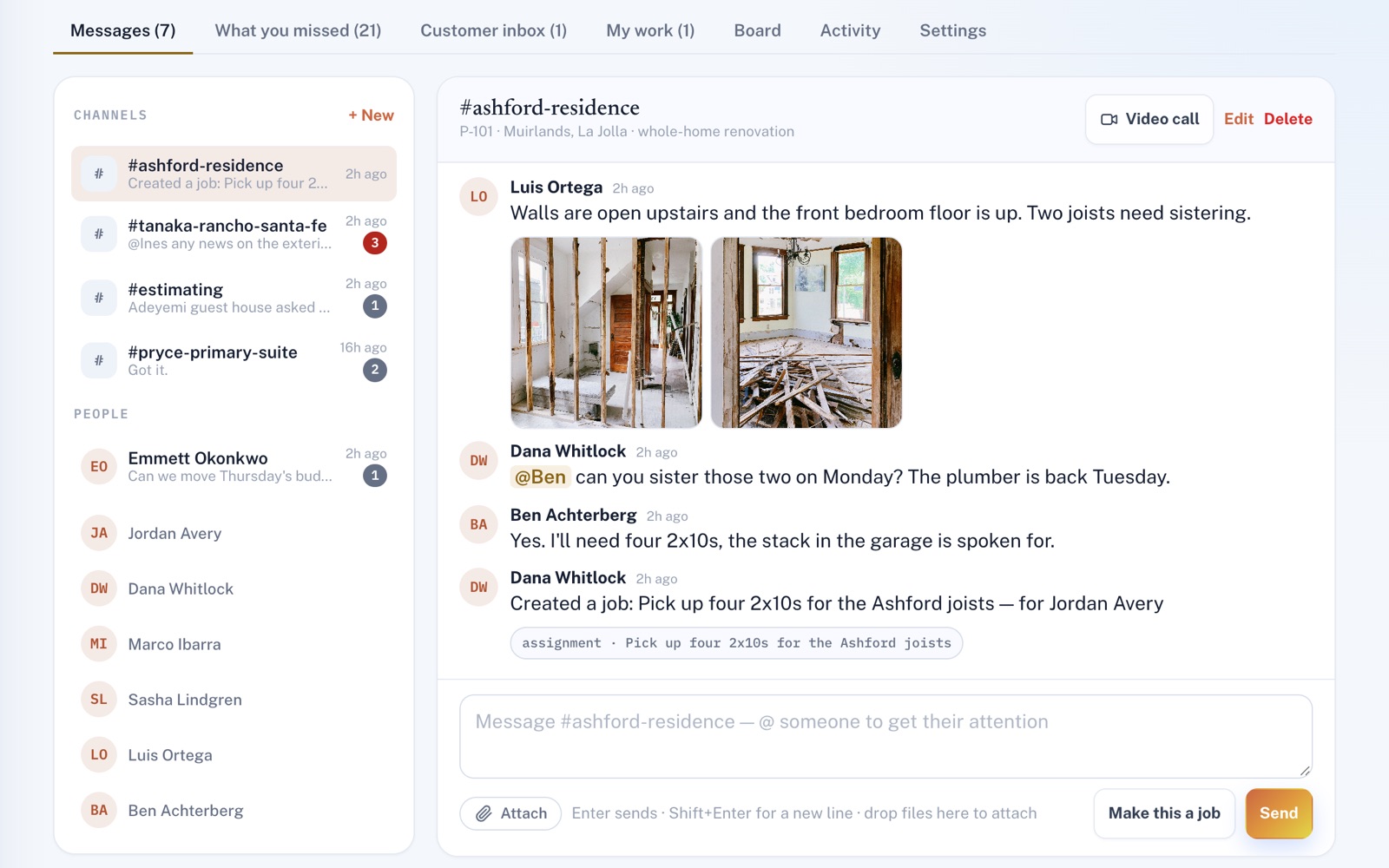
Four things it does, in order.
From the first message to the job marked done.
Talk
Channels for a crew, a job or a day, private ones for just the people you pick, and direct messages. Send photos and files, and @mention someone so they get a notice.
Gather
Your customer inbox keeps one thread per customer: what came in through your other services and what your team sent them, in order. Give a thread to whoever should answer it, or turn what they said into a job.
Hand out
Type what needs doing and make it a job in one press, or start one on the board, then pick who's doing it. They get a notice and an email, and the job says Not accepted until they press Accept.
Track
The board shows what's on your plate, what's waiting to be accepted, what nobody has picked up and what's late. Every step goes on the job's own timeline.
For example
Three businesses, three questions.
The kind of thing Comms Hub is built to answer.
-
The window cleaning company
Who actually took the Saturday storefront route?
Make the route a job and give it to one person. The board says whether they've accepted it, and the job's timeline shows when.
-
The restaurant
How do I get tonight's menu change to the whole staff without a group text?
Post it in a channel the whole staff can read, and @mention anyone who can't miss it. They get a notice in the app that stays unread until they mark it read.
-
The moving company
What did this customer already tell us about their move, and who's answering?
Open their thread in the customer inbox to read what they put on your form and what your team has sent them since. See who has it at the top, or give it to someone.
Illustrations of how Comms Hub is used, not customer stories.
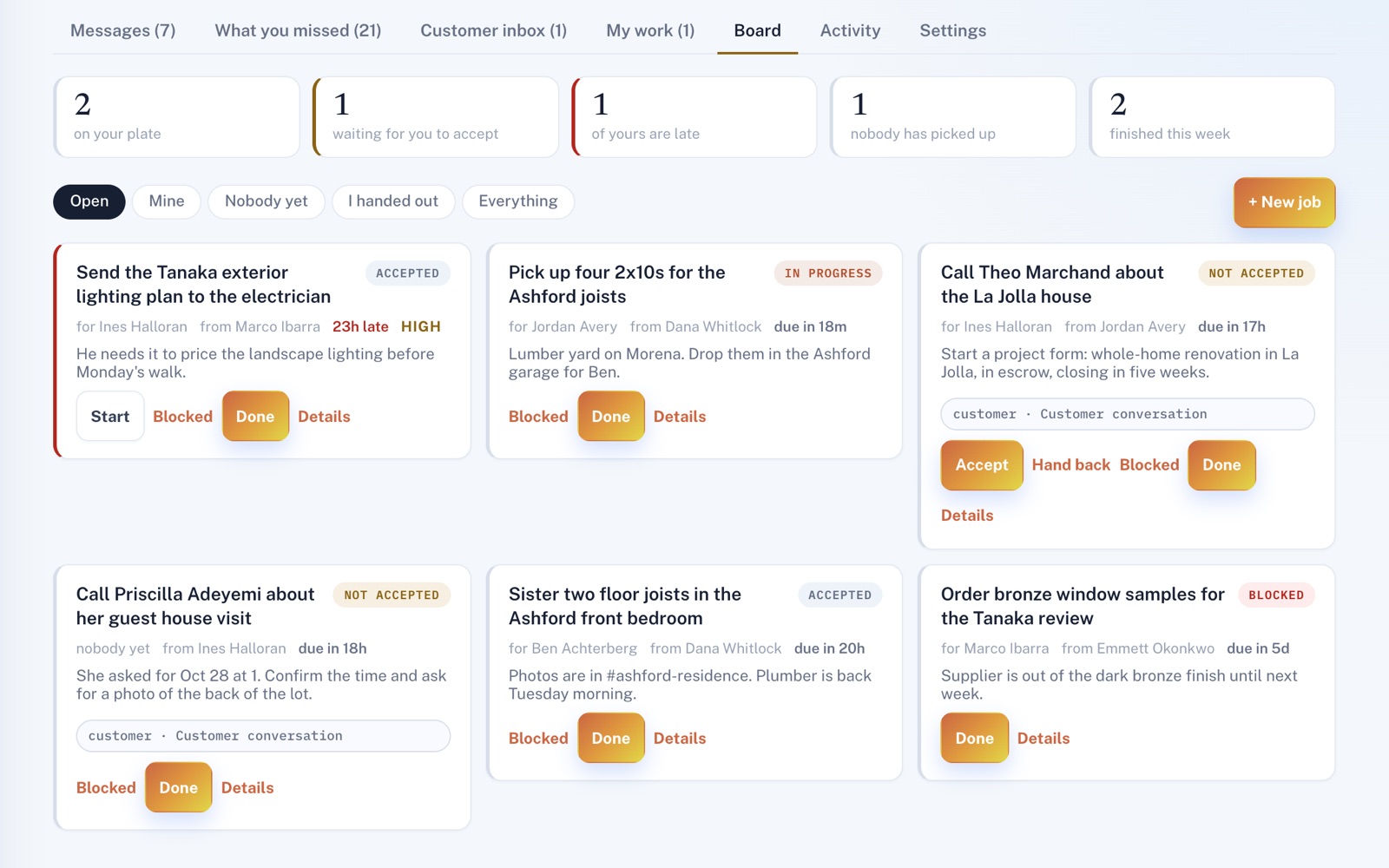
The board
Who's doing what, and what's waiting.
Every job shows who it's for, who handed it out and where it stands. Give it a due date and it shows how long is left, or how late it is. Filter to yours, to what you handed out, or to what nobody has picked up yet.
Customer inbox
One thread for every customer.
Their lead form, bookings and portal messages from your other services, and what your team sent them, in order, each marked with where it came from. With the CRM or Lead Management on your plan, reply by email or by text from your own phone. Or leave a note only your team sees.
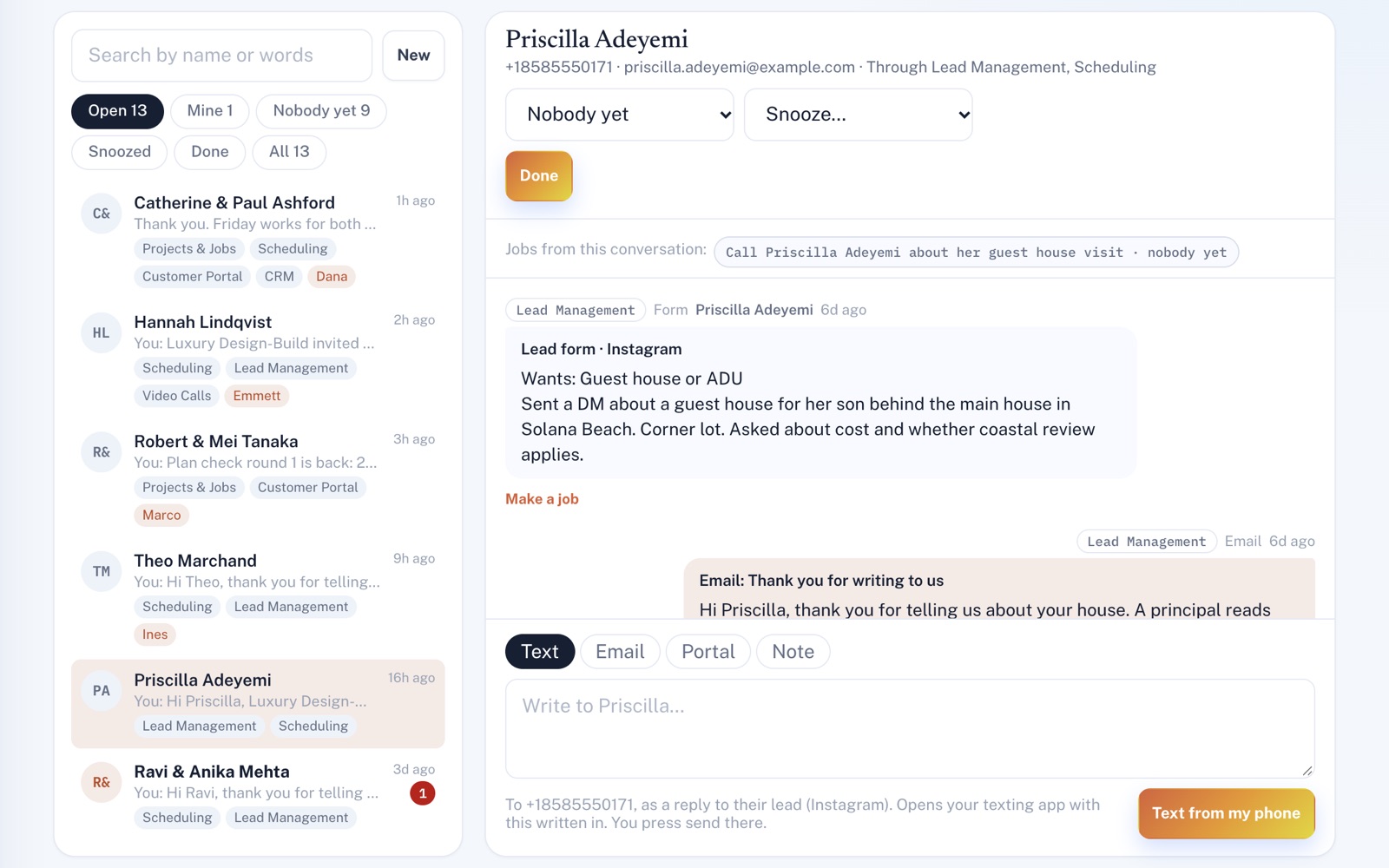
Screens shown with sample data.
Works well with
Better together.
Comms Hub does more alongside these.
- Lead Management New inquiries show up in the customer inbox, and replying from there moves a new lead to Contacted. Take a look
- CRM Write to anyone in your customer list from the inbox, by email or by text from your own phone. Take a look
- Video Calls Start a video call from any channel or direct message, and the call and any photos taken in it stay in that thread. Take a look
Coming to Comms Hub
Customers' replies to the emails your team writes them through the CRM or Lead Management, shown in the customer inbox, once the platform's incoming email is switched on.
Open an account
Hand out your first job today.
Create your account and add your team in Settings. Your #general channel is ready for the first message, and the board for the first job.