Video Calls
See the job before anyone drives out.
Text a customer a link from your own phone, or email it. They tap it and point their camera at what's wrong, with nothing to install and no account to set up.
Four things it does, in order.
From the link you send to the call you can look back on.
Invite
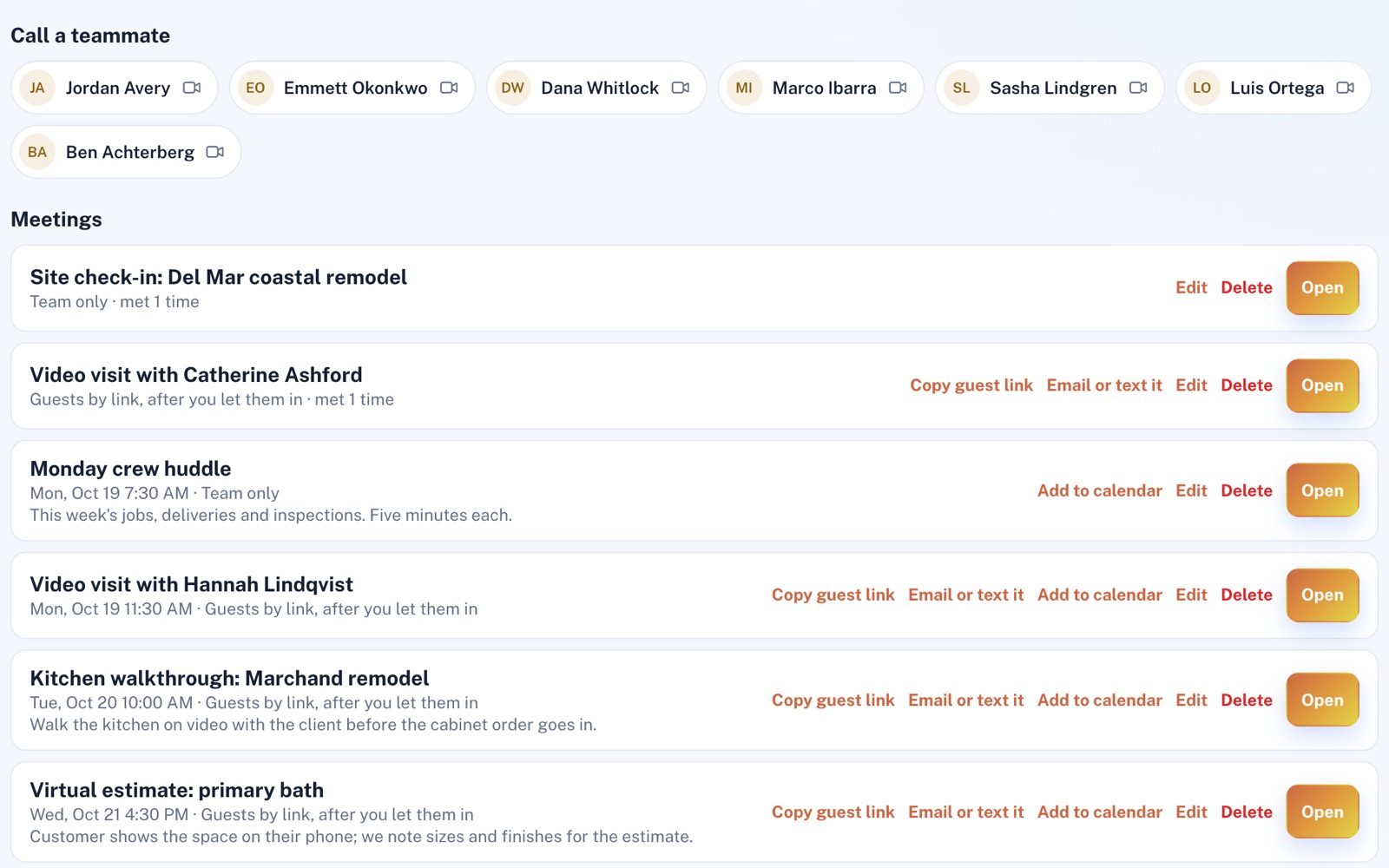
Set up a customer video visit for now or for later, then email the link or text it from your own phone with the words already written. To call a teammate who has the app open, press their name.
Let in
Guests join from a phone or computer and stay in a waiting room until someone on your team lets them in. Lock the call to keep new guests out, and remove a guest who shouldn't be there.
See
Your customer can flip to their phone's back camera and show you the problem while you talk it through. Share your screen from a computer to go over an estimate together.
Keep
Record a call to your own computer, and everyone on the call is told. Afterwards, the chat, captions and photos stay with the call, and your Video Calls page lists your recent calls to look back on.
For example
Three businesses, three questions.
The kind of thing Video Calls is built to answer.
-
The garage door company
Is it a broken spring, or just the opener?
Text the customer a video visit link. They point the back camera at the door, and you can tell which it is before you load the truck.
-
The property manager
How do I show a unit to a renter who's still out of state?
Text them a video visit link, then show them around the unit with your phone's back camera. Their roommate can join the same call too.
-
The bookkeeper
Can a new client meet me without either of us driving across town?
Pick a time for a video visit and email them the link, with the time in it. They join from their browser, and you walk through their numbers on a shared screen.
Illustrations of how Video Calls is used, not customer stories.
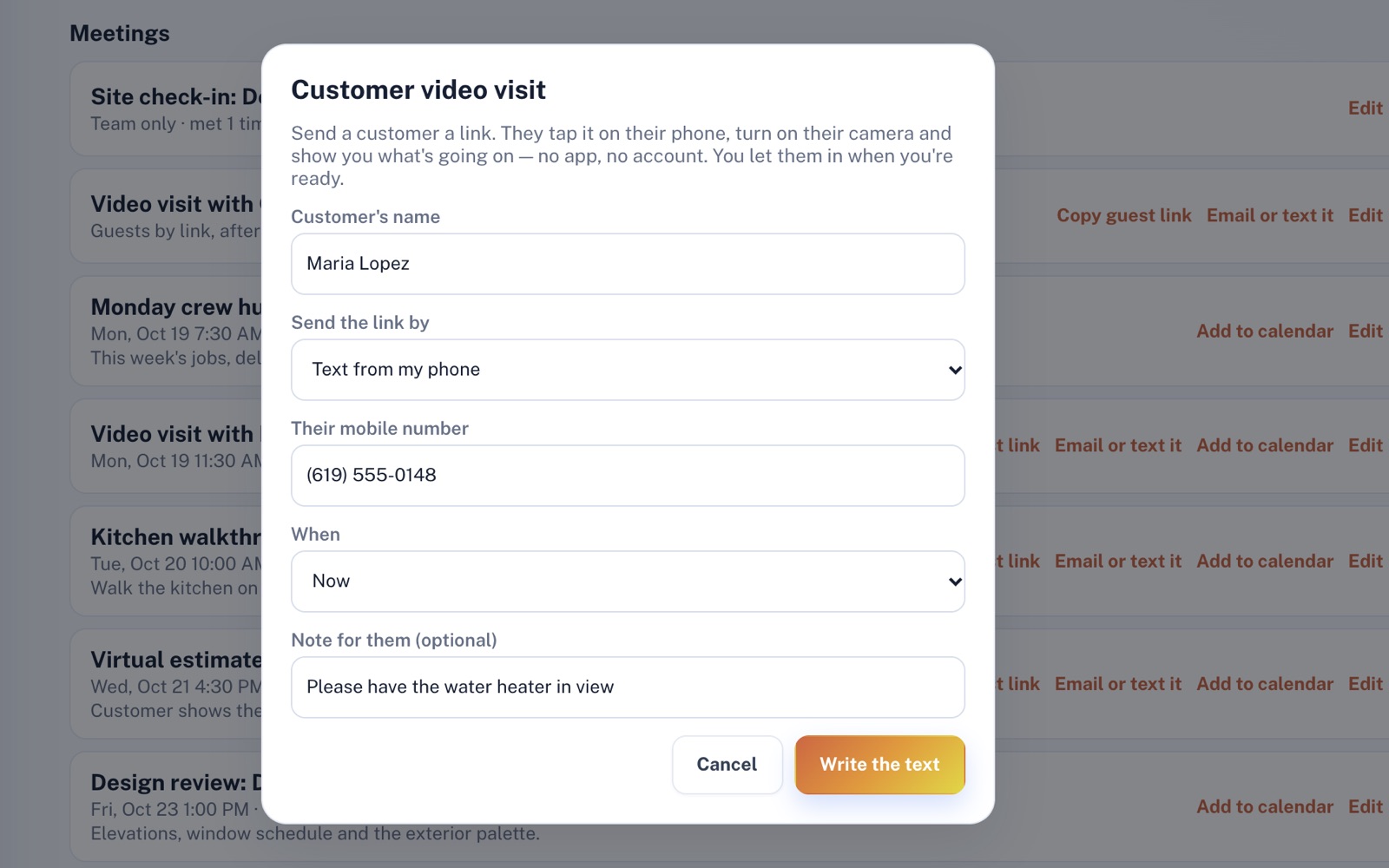
Customer video visit
One link, no app, no account.
Type the customer's name, choose email or a text from your own phone, and pick now or a time. Add a note for them, like "Please have the water heater in view." You let them in when you're ready.
In the call
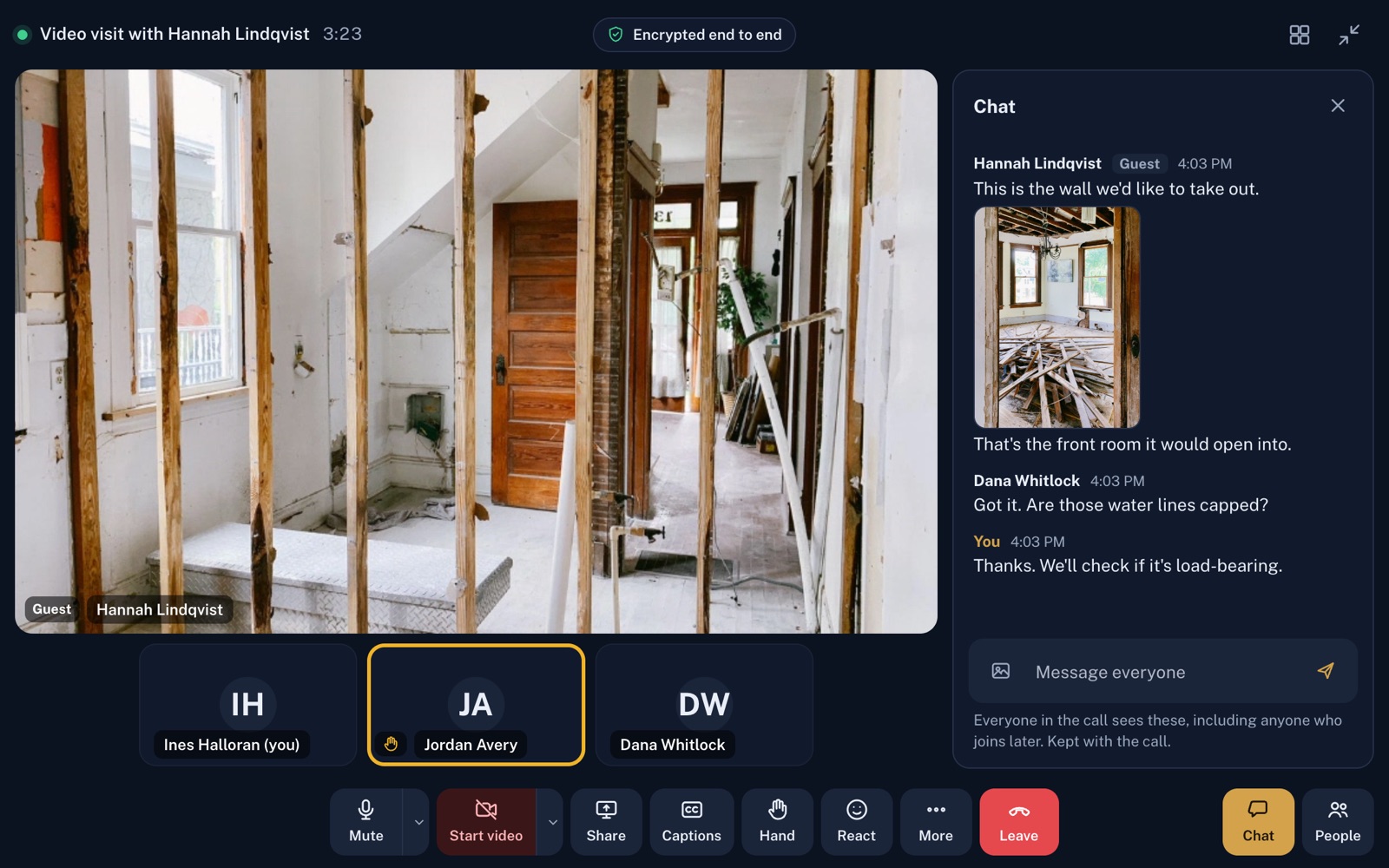
Up to eight people, one call.
Pin your customer's camera so it stays big while your team joins from wherever they are, and anyone can send a photo into the chat. Audio and video are encrypted between the devices, and calls reach phones on cellular data too.
Screens shown with sample data.
Works well with
Better together.
Video Calls does more alongside these.
Coming to Video Calls
AI call notes written in one press from the captions and chat: a summary, what was decided and who's doing what, once the platform's AI is switched on. With Comms Hub, any to-do becomes a job in one more press.
Open an account
Start your first video visit today.
Create your account, text your next customer a video visit link from your own phone, and see the job from wherever you are.