Marketing Automation
Stay in touch without writing every email.
Welcome new customers, remind people it's time to come back, check in each spring and ask back the ones who've drifted away. See who'd get what first, send what's due in one press, and anyone who books or opts out stops getting them.
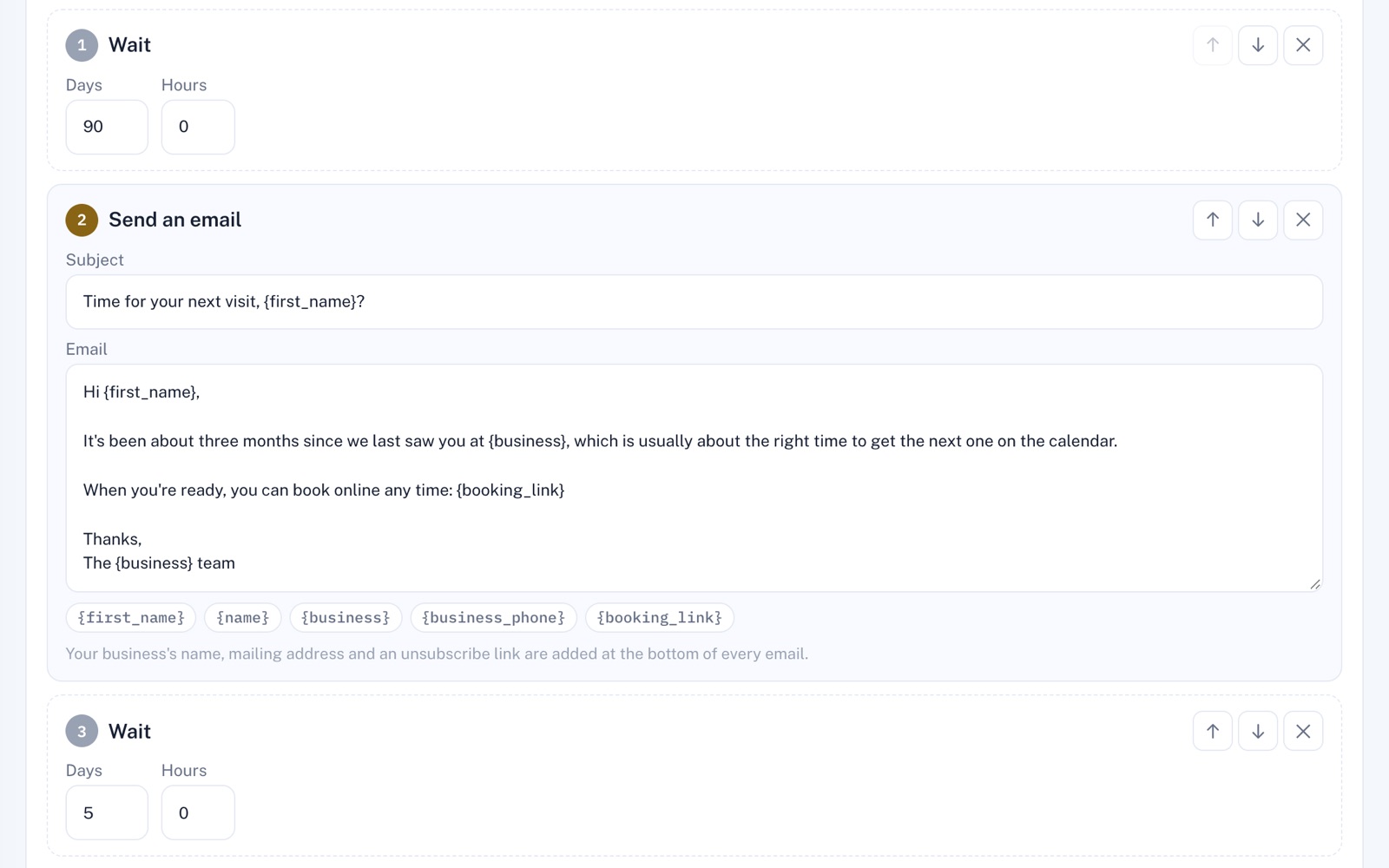
Four things it does, in order.
From picking an automation to the emails you send.
Pick
Start from one of four ready-made automations: 'Welcome new customers', 'Time to come back', 'Spring check-in' and 'We miss you'. Each is already worded, and you can change any of it. One that needs a service you don't have says which.
Aim
Choose what starts it: a new customer, an appointment marked done, a finished job, a long gap since their last visit, a yearly date, a tag added to someone or a survey answer, depending on your plan. Then pick who it's for.
Preview
A dry run tries it on your own customers: who it would pick out and the emails they'd get. Nothing is sent. When it looks right, turn it on.
Send
You, or another administrator, press Send what's due now each day. Each press checks every automation that's on for new people and sends what's due, a batch at a time, inside your sending hours and limits. Anything a few days overdue is skipped, not sent late.
For example
Three businesses, three questions.
The kind of thing Marketing Automation is built to answer.
-
The irrigation company
How do I get last year's customers to book again this spring?
Set 'Spring check-in' to a date before your busy season and turn it on. Press Send what's due now that day and the check-in emails start going out to your customers; a long list takes a few presses over that day and the next two.
-
The water treatment company
How do I remind customers when their next filter change is due?
'Time to come back' picks up appointments marked done since your last press of Send what's due now, up to a week back, and lines up a 'time for your next visit' email 90 days on. It goes at a press, unless they've booked since.
-
The lash studio
Which clients haven't been in for months, and how do I ask them back?
Turn on 'We miss you'. It picks out customers whose last visit on record was over six months ago with nothing booked, and lines up a warm note and a short follow-up a week later, each sent when you press Send what's due now.
Illustrations of how Marketing Automation is used, not customer stories.
Before anything goes out
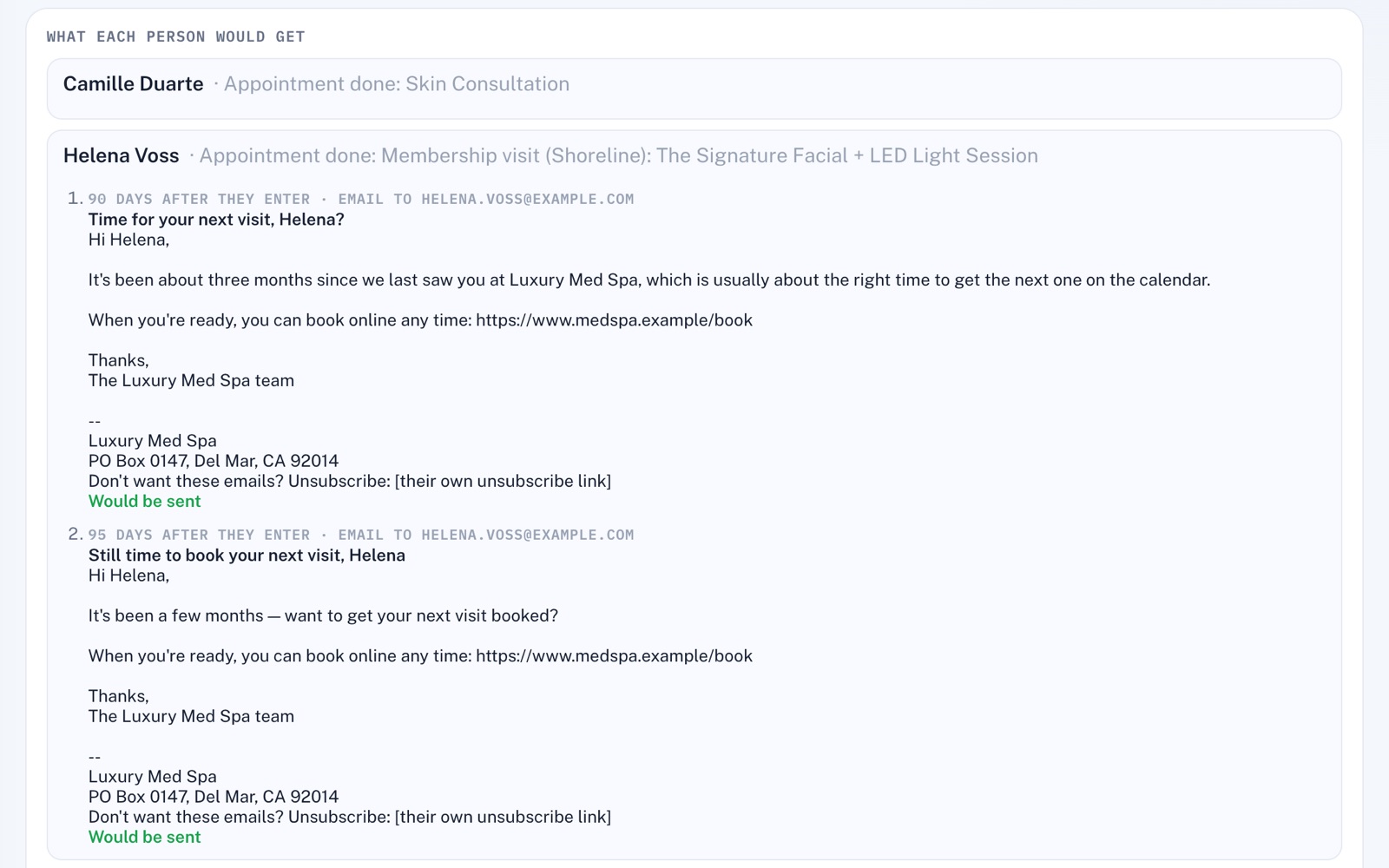
Who it would pick, and why.
The dry run lists who it would pick out and why. Open a name to read the emails they'd get, with their name and your details filled in, footer and all, and whether each would be sent.
The right people
What starts it, and who gets it.
Pick what starts it, such as a long gap since someone's last visit, then choose who it's for by stage, tag or what they've used. Each one starts as a draft, so nothing goes out until you turn it on and press Send what's due now.
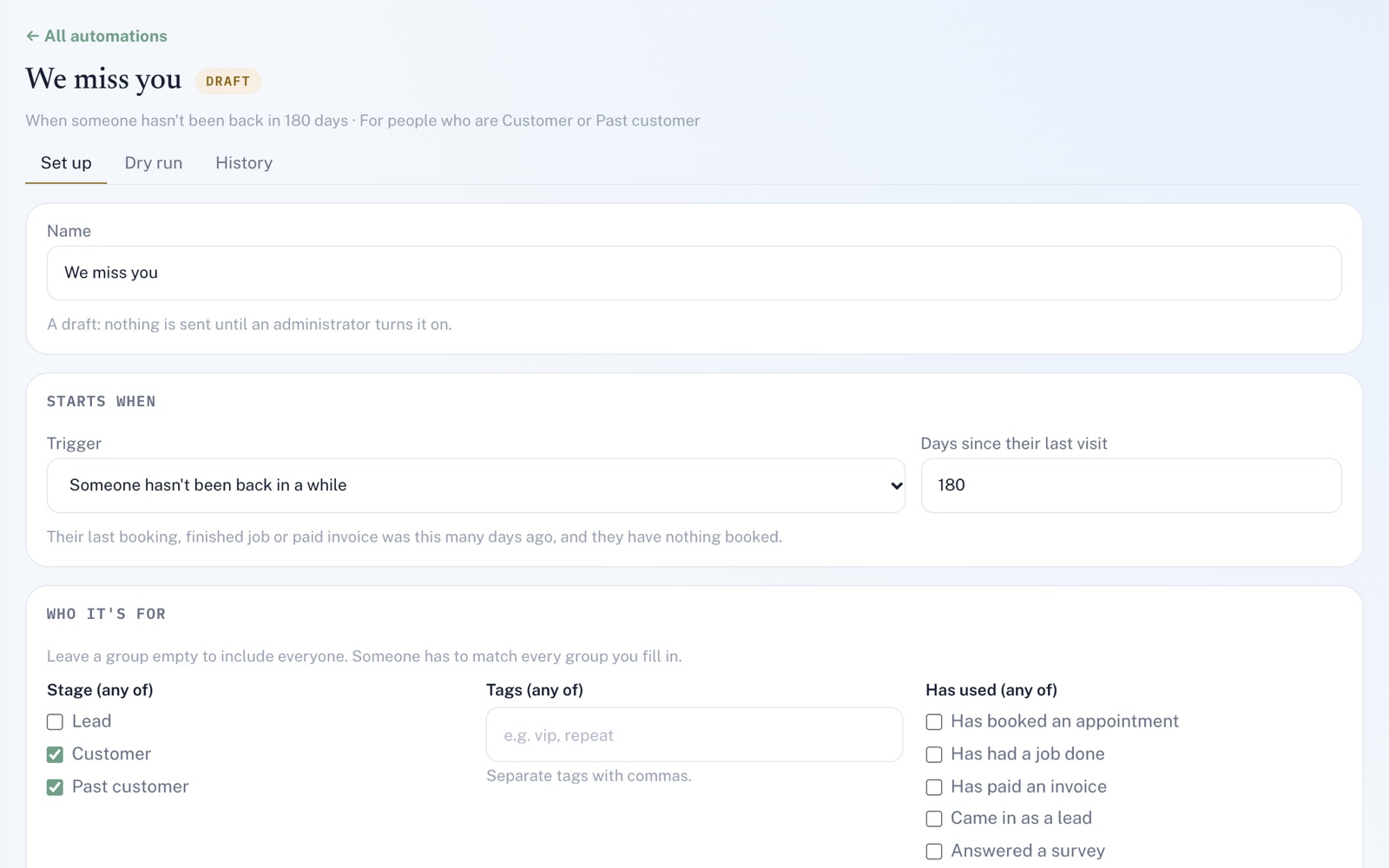
Screens shown with sample data.
Works well with
Better together.
Marketing Automation does more alongside these.
- Scheduling An automation can start when an appointment is marked done, and your emails can link to your booking page. Take a look
- CRM Every email an automation sends shows up on that person's timeline in the CRM. Take a look
- Survey Bot Anyone who answers a survey with their email on it can start an automation, even if they've never booked. Take a look
Coming to Marketing Automation
Write it for me: with the AI Content Assistant on your plan, a draft of any email for you to read and change before you save it, once the platform's AI is switched on.
Open an account
Your first emails are already written.
Create your account, pick a ready-made automation and make the words your own. Nothing goes out until you say so.