Advanced Analytics
Know if your numbers are up or down.
Advanced Analytics puts your leads, bookings, satisfaction scores and review requests side by side, straight from the other services on your plan. Each is set against the same number of days just before, so every rise and dip is measured the same way.
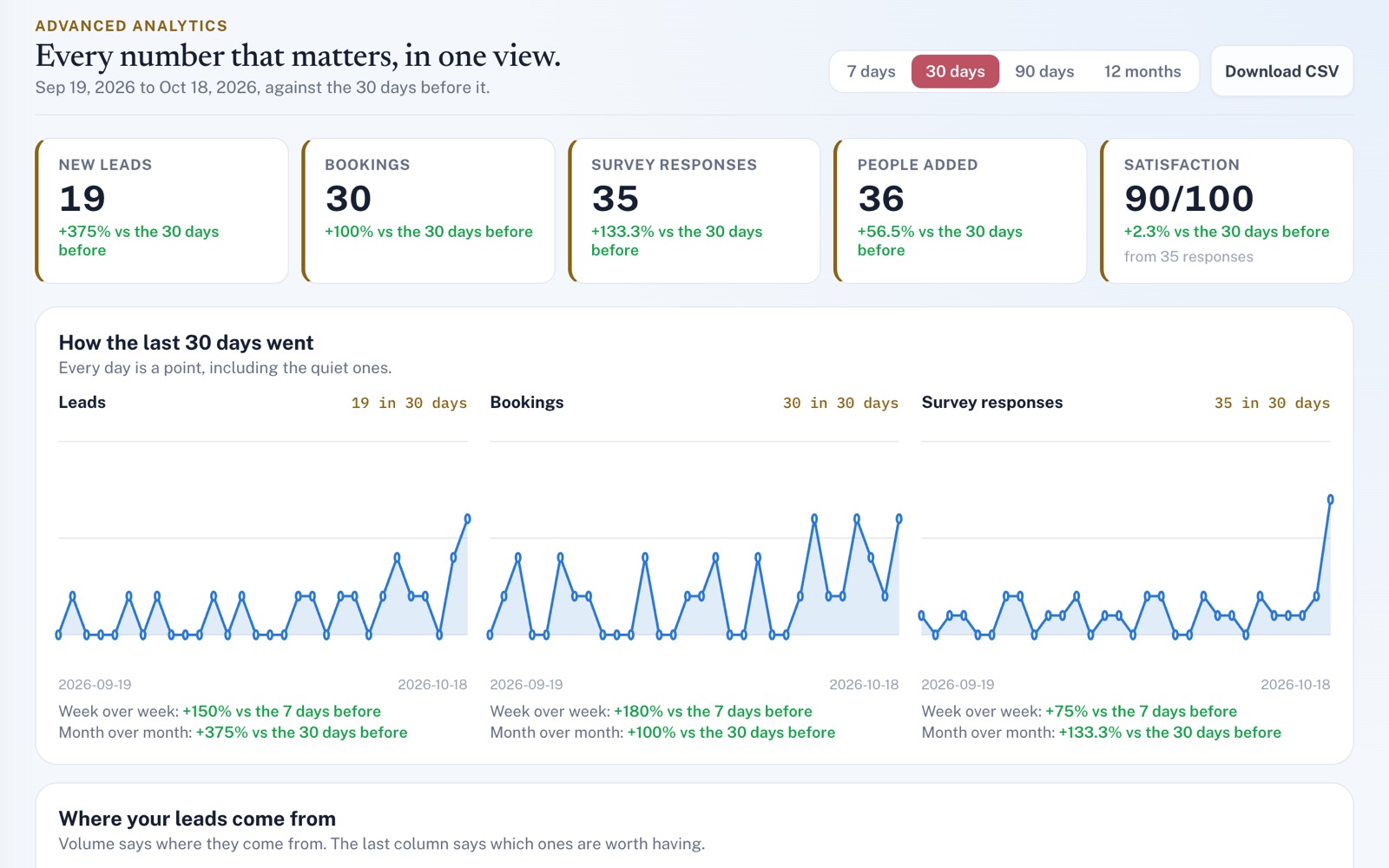
Four things it does, in order.
From the records you already keep to a page you can share.
Gather
Nothing to type in. Every figure comes from records your other services already keep: leads, bookings, survey answers, your customer list and review requests. Each part shows only when its service is on your plan.
Compare
Pick 7, 30 or 90 days, or 12 months. Leads, bookings, survey responses, satisfaction and people added to your list each show the change from the same number of days before. Every day is a point on the charts, quiet ones included.
Dig in
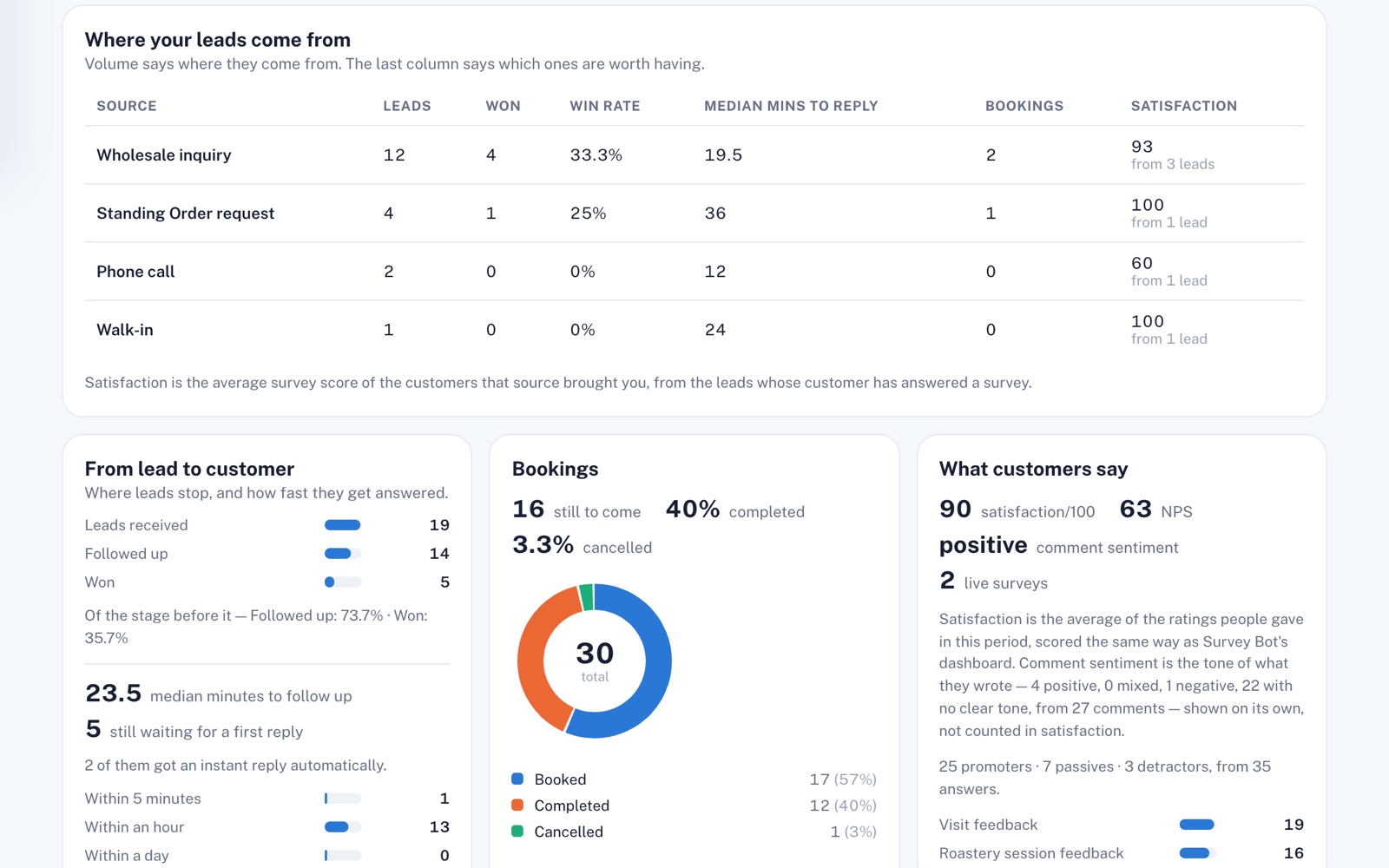
See your win rate for each lead source and how fast you first follow up new leads. Check how many new bookings are still to come, how satisfied your customers are, and how many people opened the review link you sent.
Share
Give a partner or your accountant a read-only link. They don't need an account, and they never see your customer list. Or download a CSV of your main numbers, lead sources and each day's counts.
For example
Three businesses, three questions.
The kind of thing Advanced Analytics is built to answer.
-
The auto body shop
Where do the leads that turn into jobs come from?
See each lead source's leads, wins, win rate and follow-up speed in one row, so a busy source with a low win rate is easy to spot.
-
The junk removal company
Are new leads waiting too long for a call back?
See how long a new lead usually waits for a first follow-up, and how many of your new leads haven't had one.
-
The barbershop
Are fewer people booking lately, or does it just feel that way?
Pick 30 days and see your bookings against the 30 days before, each counted on the day it was made. The chart shows which days went quiet.
Illustrations of how Advanced Analytics is used, not customer stories.
Where leads come from
Not just how many, but how happy.
The lead counts show which sources are busy. With Survey Bot on your plan, the last column shows which ones are worth having: the average survey score of the customers each one brought you, and the number of leads behind it.
Share it
A read-only page for your accountant.
Create a link and hand it over. Whoever opens it sees your lead, booking and survey figures, worked out fresh each time, but never your customer list. Make a new link and the old one stops working.
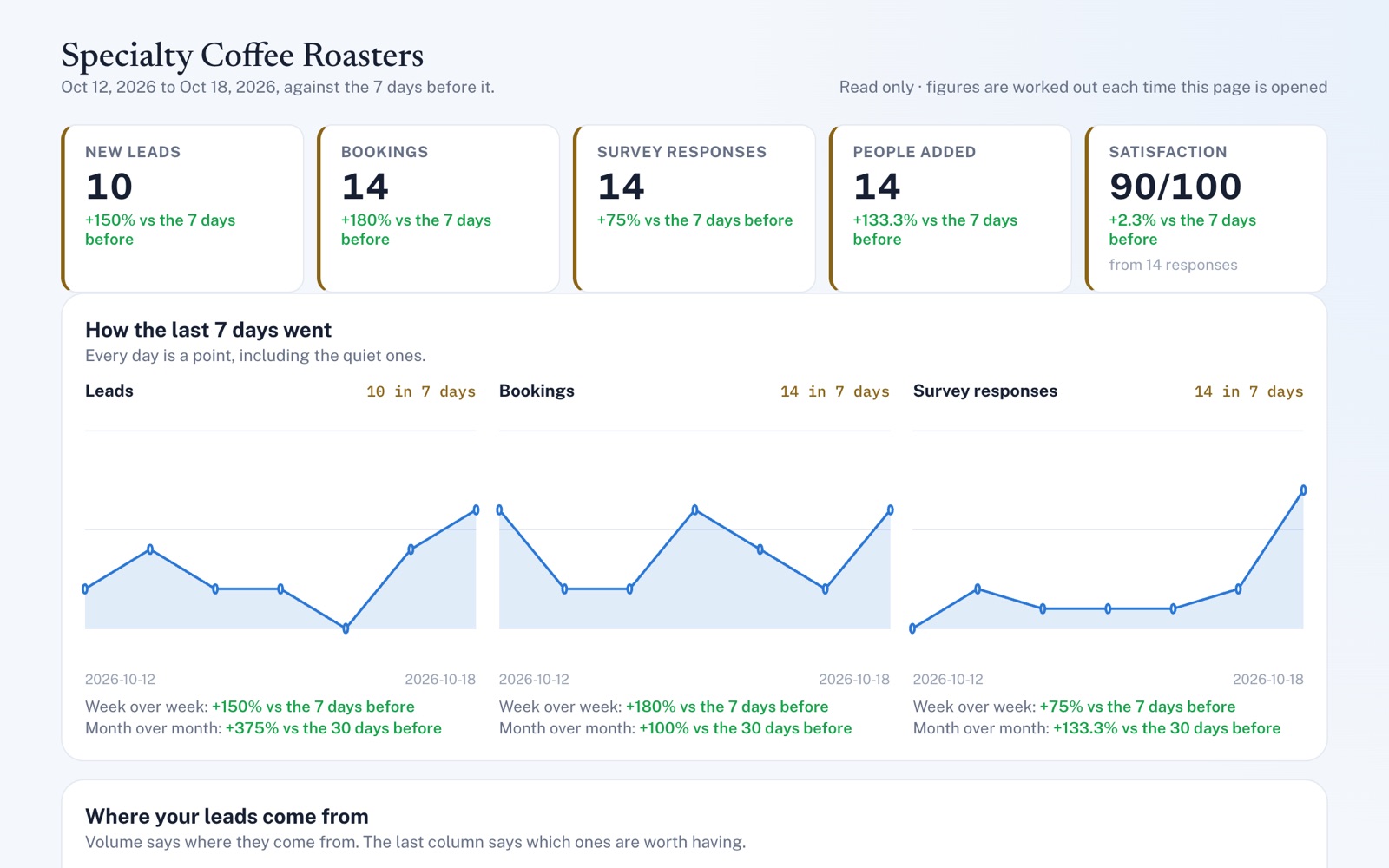
Screens shown with sample data.
Works well with
Better together.
Advanced Analytics keeps no numbers of its own. It reads them from these, and each one on your plan adds its part.
- Lead Management Your new leads, how many you win and how fast you follow up all come from its inbox. Take a look
- Scheduling Your bookings, how many of them are still ahead and your most-booked services all come from its calendar. Take a look
- Survey Bot Its answers give you a satisfaction score and your Net Promoter Score, and with Lead Management, which lead sources bring the happiest customers. Take a look
Coming to Advanced Analytics
Your Google and Yelp ratings next to your other numbers, from the listings you connect in Review Automation, once the platform has them switched on.
Open an account
See how your business is doing.
Create your account with Advanced Analytics plus Lead Management, Scheduling or Survey Bot, and your numbers fill in as leads arrive, appointments get booked and customers answer surveys.